Features
Marketing & Social
Plan posts for Facebook, Instagram, Google Business Profile and LinkedIn on one calendar, with AI writing a version for each channel in your brand voice. Approve them, let Worklynq post them, answer comments and reviews in one inbox, and see what people search for to find you.
Prefer to watch? These short videos introduce Marketing and Social. More are on Video tutorials.
Two modules
- Social — the posts Calendar, the Inbox for comments and reviews, and Results.
- Marketing — Campaigns, SEO & website, and Brand & settings.
Both are on for new Operations and Software companies. Others turn them on in Admin console → Work Configuration → Modules.
Connect your accounts
A System Admin connects each platform in Admin console → Integrations, under Marketing & website. Each one asks you to sign in on the platform’s own page, then choose what Worklynq may use:
| Connection | Choose | What it adds |
|---|---|---|
| Facebook + Instagram | Your Facebook Pages, the Instagram account on each, and which location each Page belongs to | Publishing, results, and comments in the Inbox |
| Your website (Search Console), your Analytics property, and your Business Profile locations, each with its location | SEO & website, Business Profile posts, and reviews in the Inbox | |
| The Company Pages you manage, each with its location | Publishing, results, and comments in the Inbox |
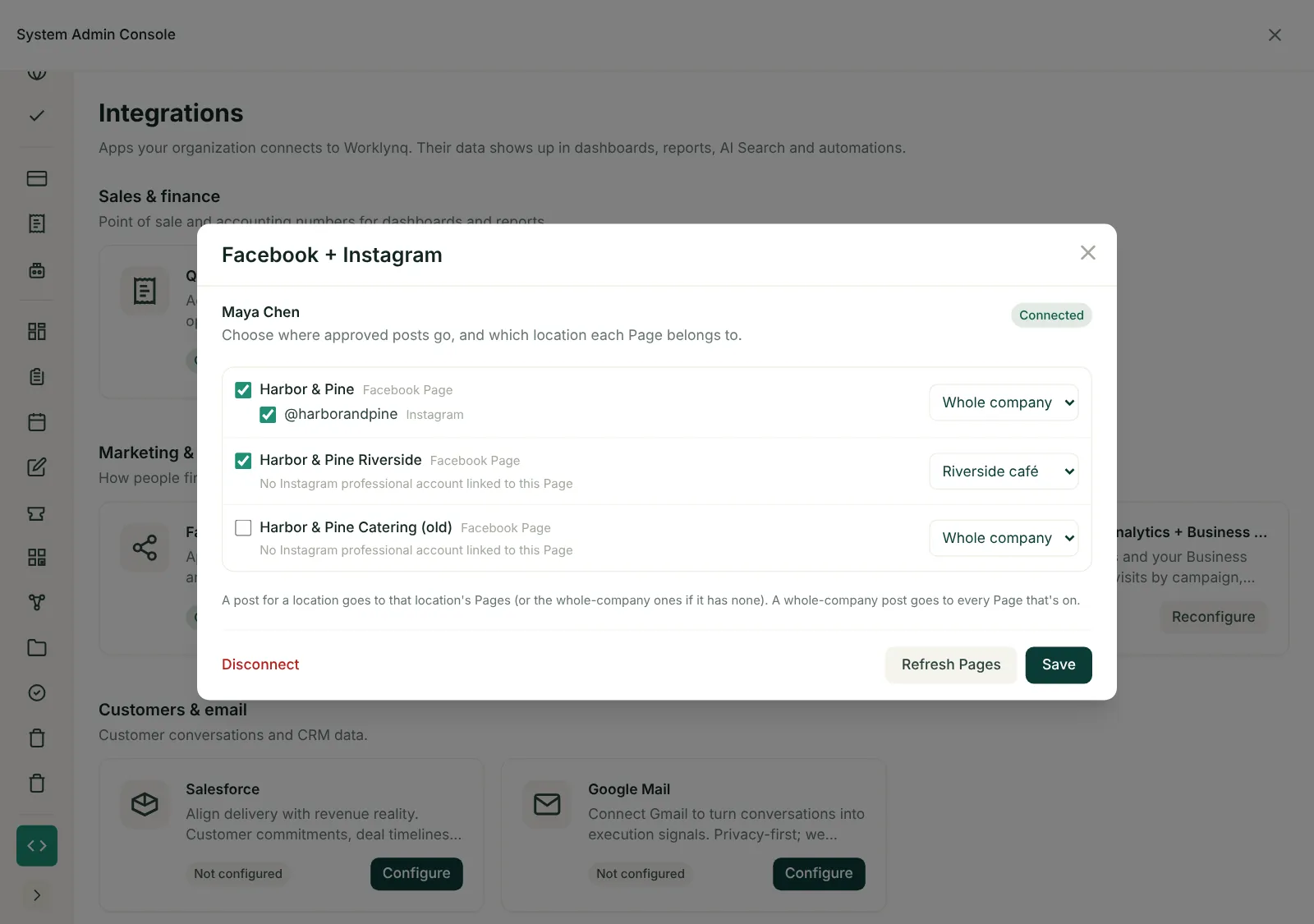
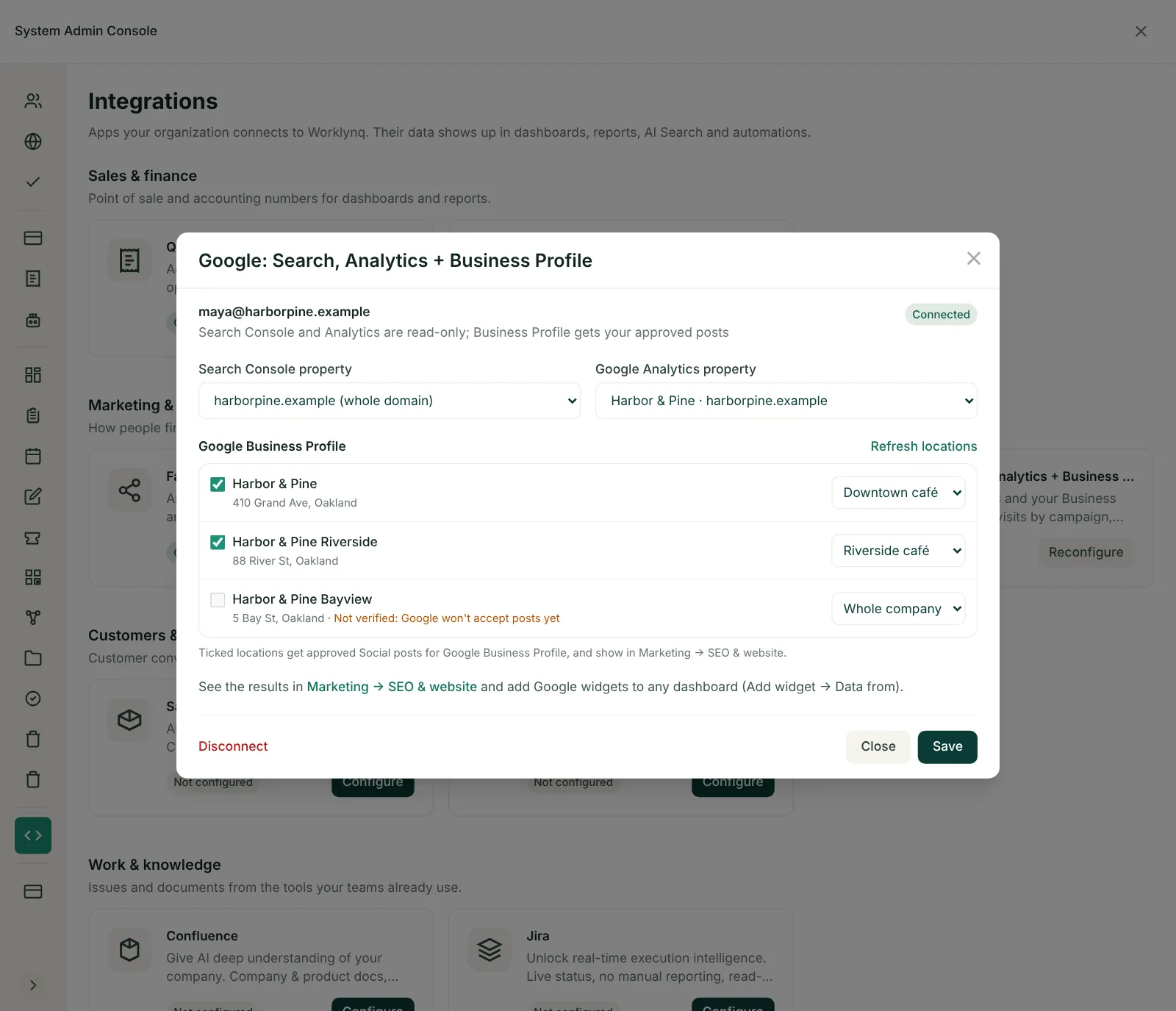
- A post for a location goes to that location’s Pages and profile; a whole-company post goes to every one that’s ticked.
- LinkedIn sign-ins last 60 days. Worklynq warns you a week before, and the connection shows Needs attention if it lapses — connect again to keep scheduled posts going out.
- The connections are read-only except for posting and replying: Worklynq never changes your website or your profiles.
These connections are rolling out during the beta. Until a channel is connected, you can still plan posts for it, copy each version and mark it as posted.
The posts calendar
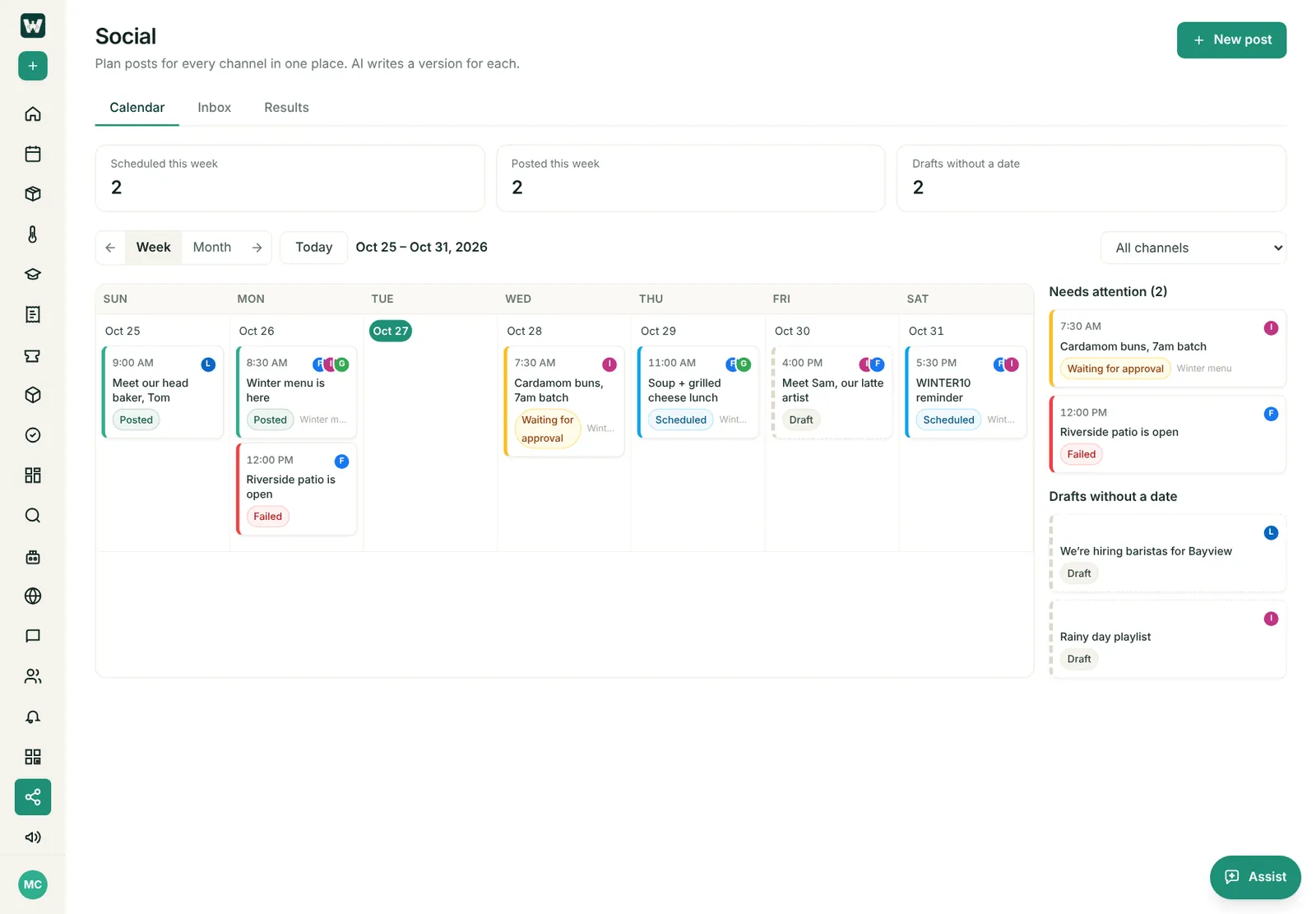
Open Social. The calendar shows the week or the month with every post on its day and time, its channels and its status. Pick one channel to see only its posts.
- The counts at the top: scheduled, posted, and drafts without a date.
- Needs attention beside the calendar: posts waiting for approval and posts that couldn’t go out. Drafts without a date sit below.
- Click an empty day to start a post on that day, or New post.
Write a post — with AI if you like
- Write the main text once and pick the channels.
- Each channel gets its own version, with a live count of characters and hashtags against that platform’s limit. Edit any version on its own, or Use the main text instead.
- Add a photo (Instagram needs one), a link, the campaign and location, and when it should go out. The preview shows how it looks, and Where it goes lists the Pages and profiles it will be posted to.
- Write with AI: say what you want — “gingerbread latte is back, $5.75” — and AI writes a version for each channel in your brand voice. Nothing is posted; you check it first.
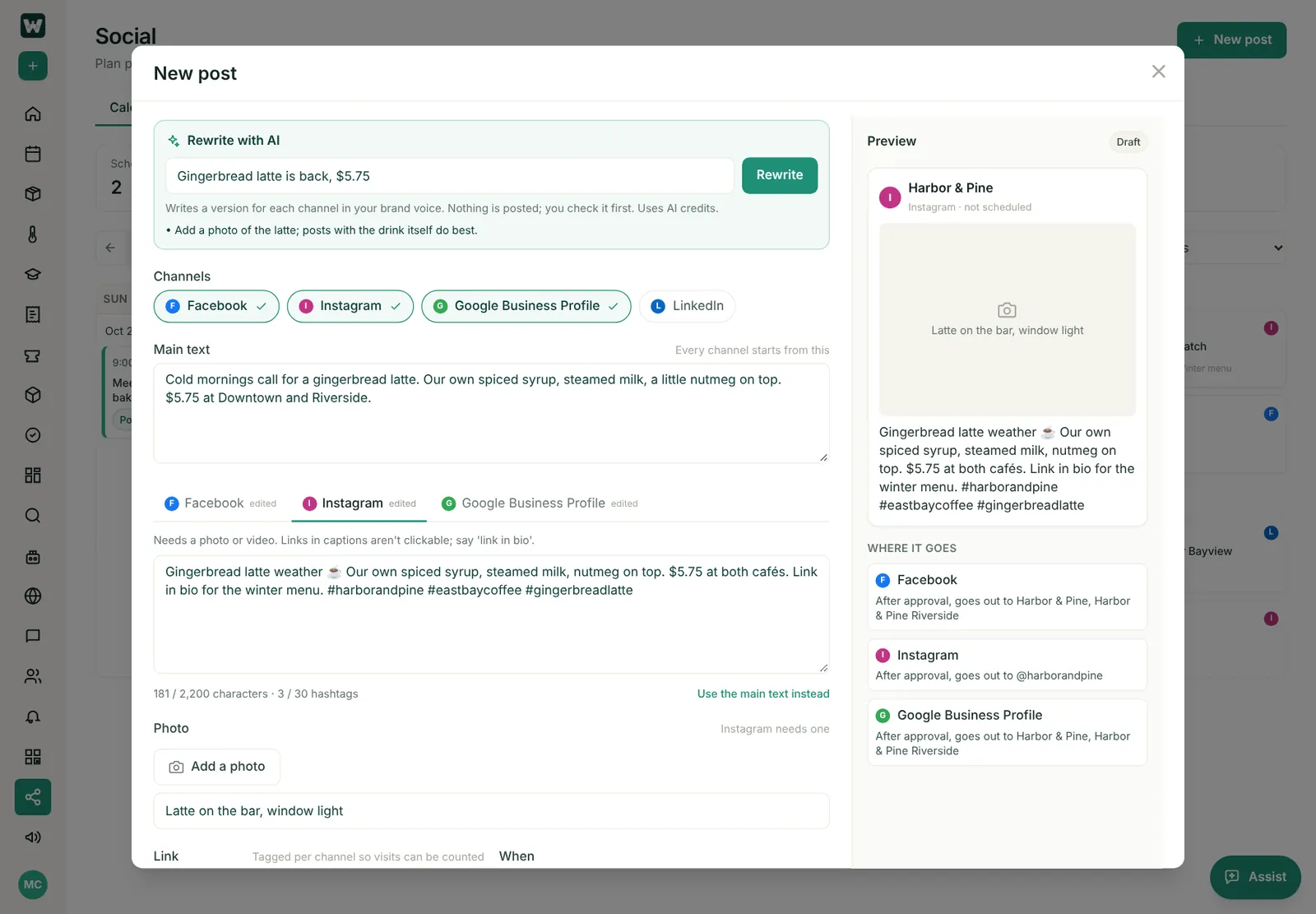
| Channel | Characters | Hashtags | Good to know |
|---|---|---|---|
| 63,206 | any | A link in the text is fine | |
| 2,200 | up to 30 | Needs a photo; links in captions aren’t clickable | |
| Google Business Profile | 1,500 | none | No phone numbers; the link becomes the Learn more button |
| 3,000 | up to 5 | The link becomes an article card |
A post can be scheduled once it has a time, at least one channel, and every version within its limits. AI never makes up prices, promo codes or reviews.
Approvals
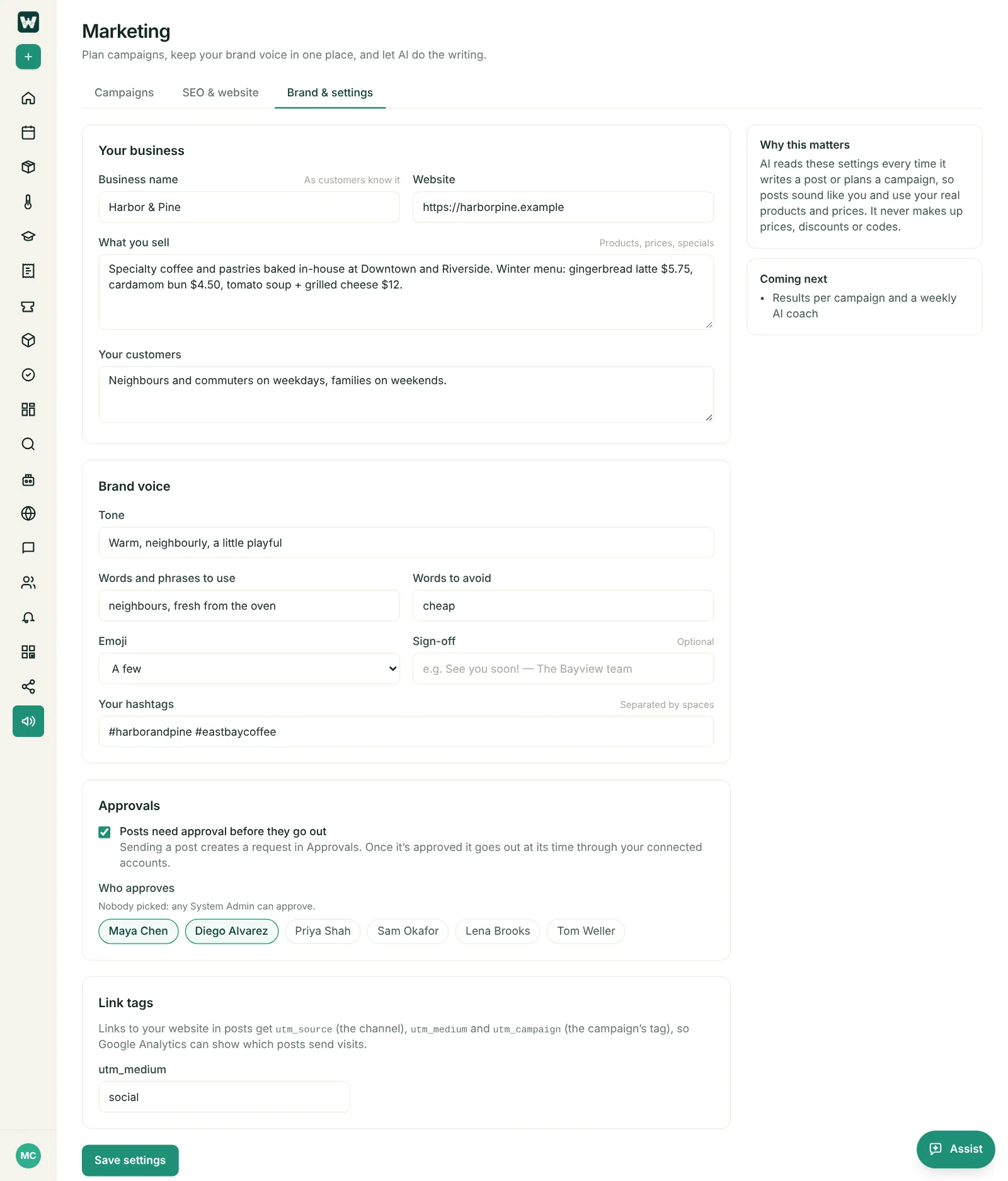
Want a second pair of eyes? In Marketing → Brand & settings, tick Posts need approval before they go out and choose who approves (or leave it to any System Admin).
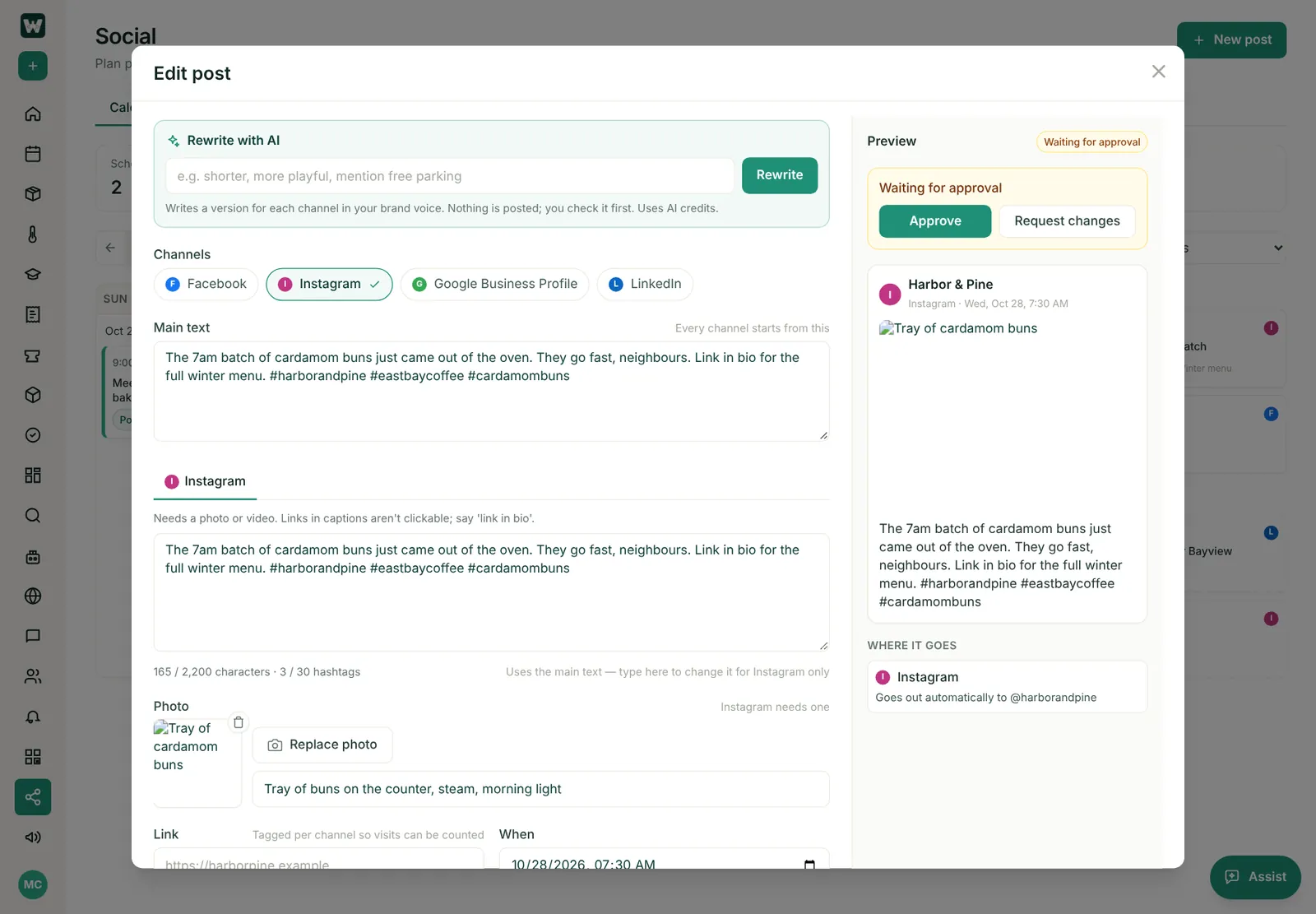
- Send for approval in the editor creates a request in Approvals.
- The approver clicks Approve or Request changes — in the post itself or in Approvals. An approved post is scheduled; one sent back goes back to draft, with the note.
- Changing a post that’s waiting or approved takes it back out of approval, so nothing goes out that wasn’t approved.
Posting
- Connected channels post themselves at the scheduled time, in your time zone. Each post is sent once to each Page and profile.
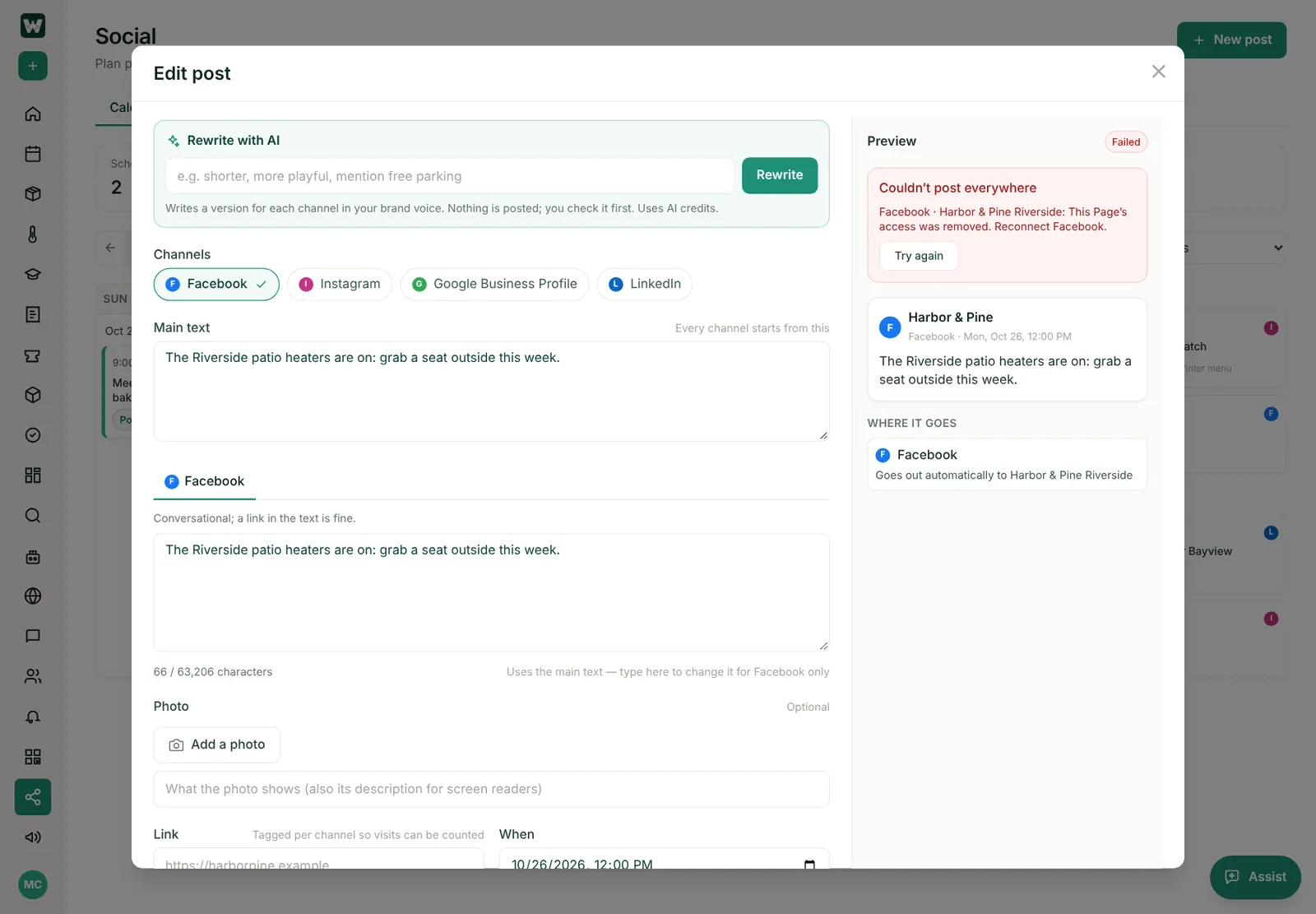
- If a platform refuses a post, Worklynq tries again; after three tries the post is marked Failed with the reason — say, the Page’s access was removed — and a Try again button once it’s fixed. Only the channels that failed are sent again.
- Channels that aren’t connected: open the post when it’s time, click Copy for … to copy that version with its tagged link, post it yourself, then Mark as posted. Not posted after all undoes it.
Tagged links: links to your own website get utm_source (the channel), utm_medium and utm_campaign, so Google Analytics — and Marketing’s SEO & website tab — can show which posts bring visits.
Results
Social → Results shows how your posts did over the last 7, 30 or 90 days: totals for each channel — posts, views, reactions, comments, shares — and a row for every post on every Page, with a link to the live post. Numbers keep updating for 30 days after a post goes out.
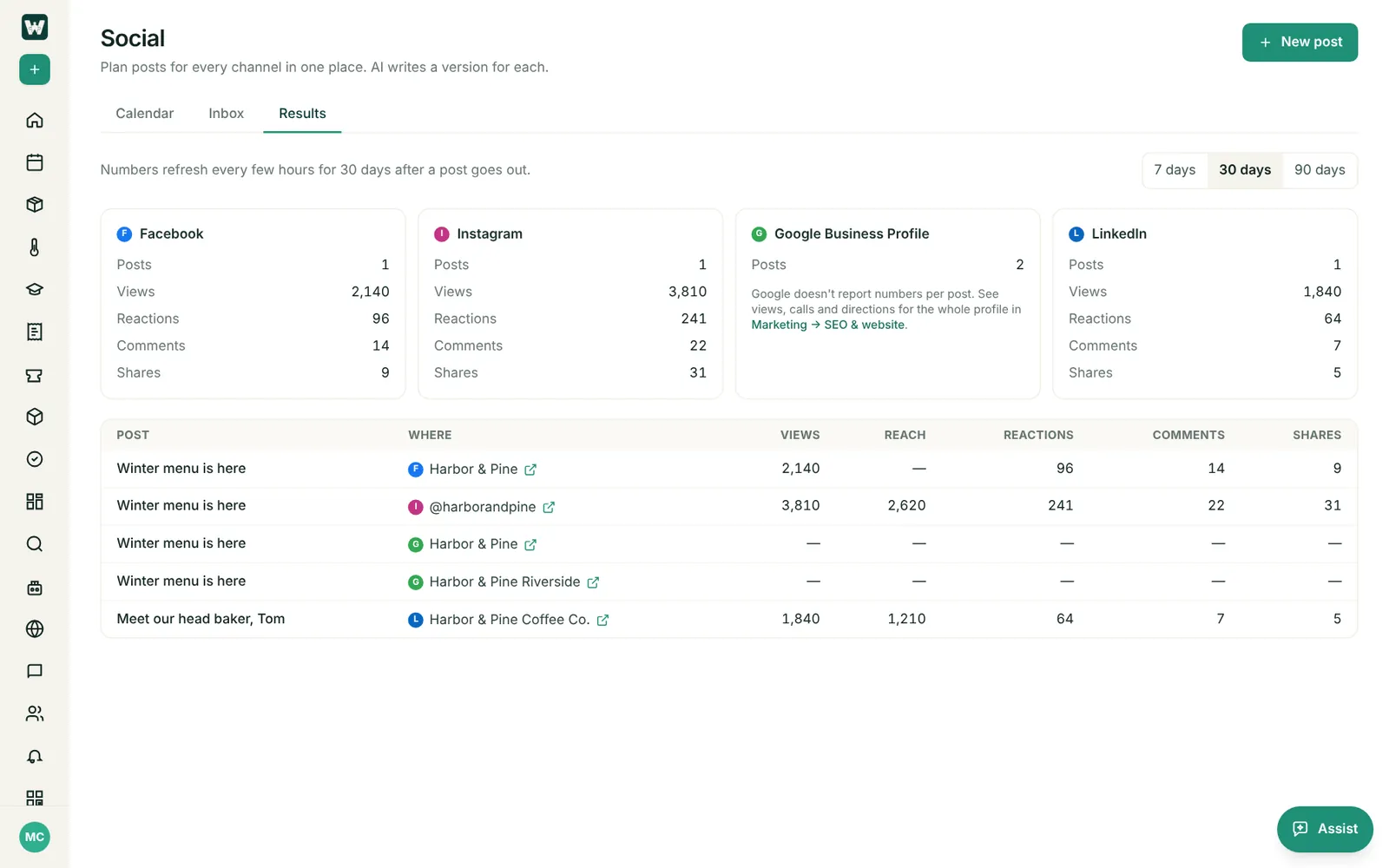
Google doesn’t report numbers per Business Profile post any more. See views, calls and directions for the whole profile in SEO & website.
The Inbox: comments and reviews
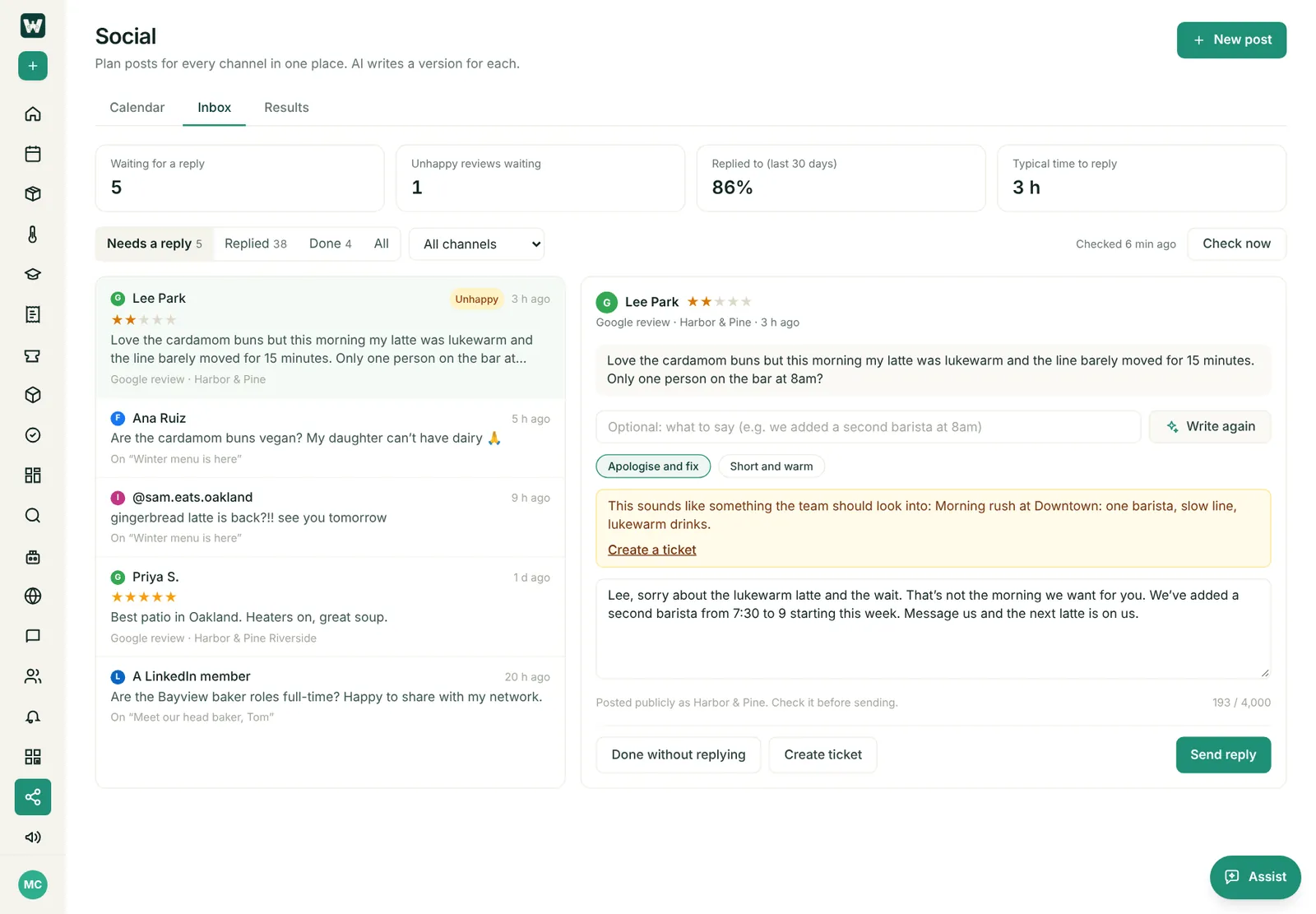
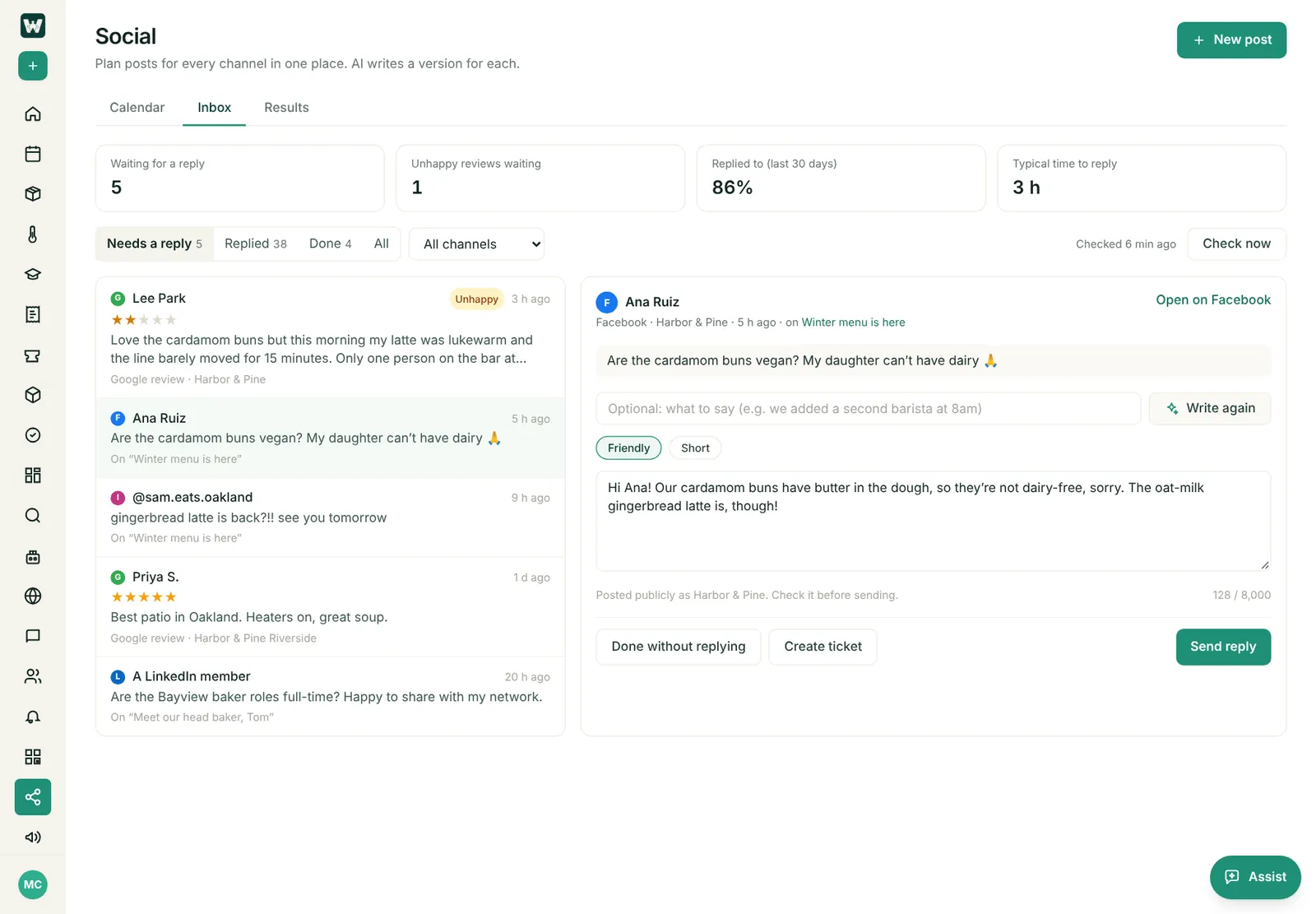
Social → Inbox brings in Facebook, Instagram and LinkedIn comments on posts Worklynq published, and your Google reviews. It checks for new ones every 15 minutes, or click Check now.
- The tiles show what’s waiting for a reply, unhappy reviews waiting, how much you’ve replied to in the last 30 days, and how long replies usually take.
- Open one to reply in public as your Page or business. Write with AI suggests two or three replies in your brand voice.
- A complaint can become a ticket: Create ticket opens New Ticket with the review and its location filled in.
- Done without replying clears it from the list.
Campaigns
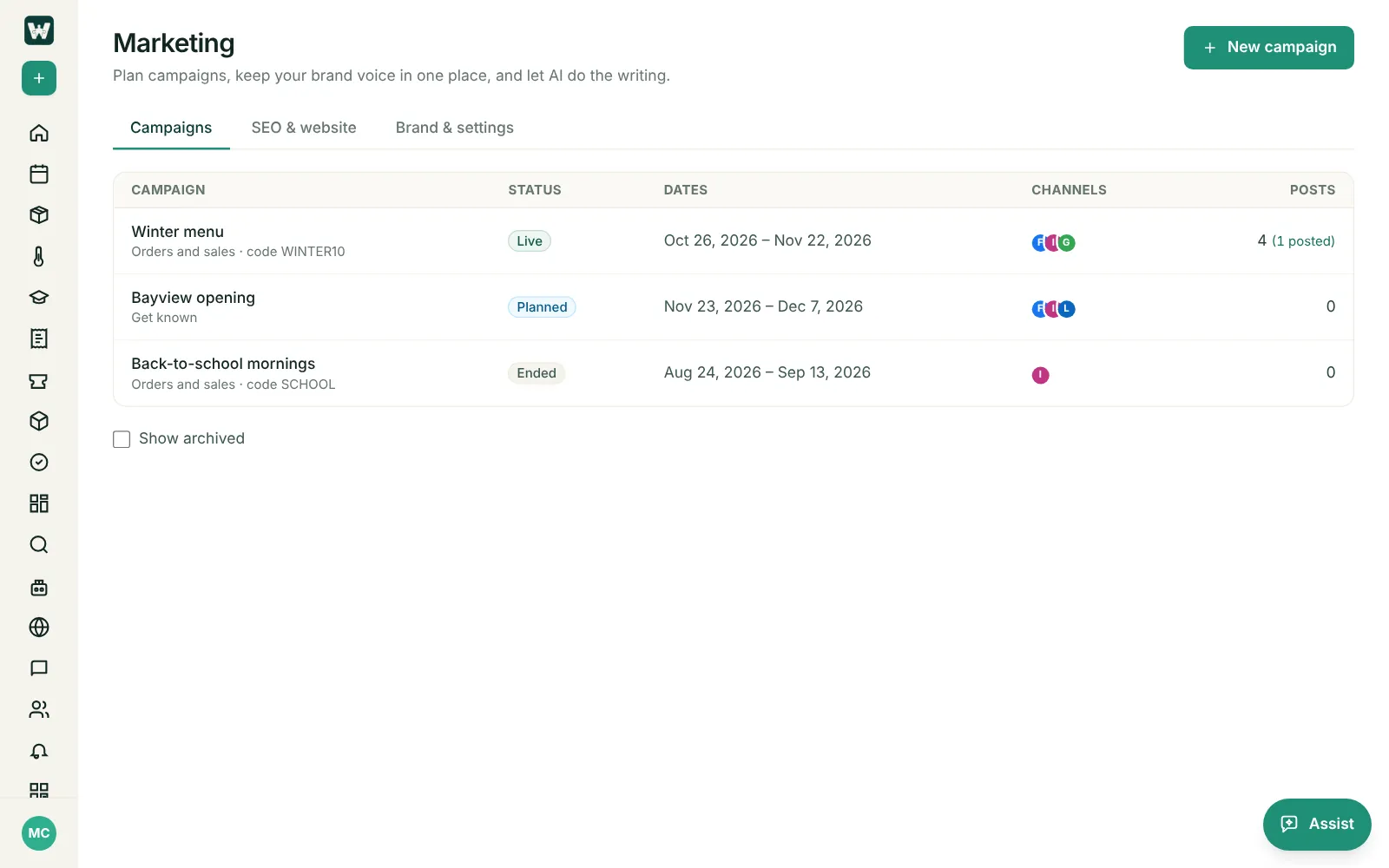
Open Marketing to see your campaigns — planned, live, ended or archived, from their dates.
- New campaign: a name, goal, message or offer, start and end dates, the locations it’s for, channels, budget, promo code, and its link tag.
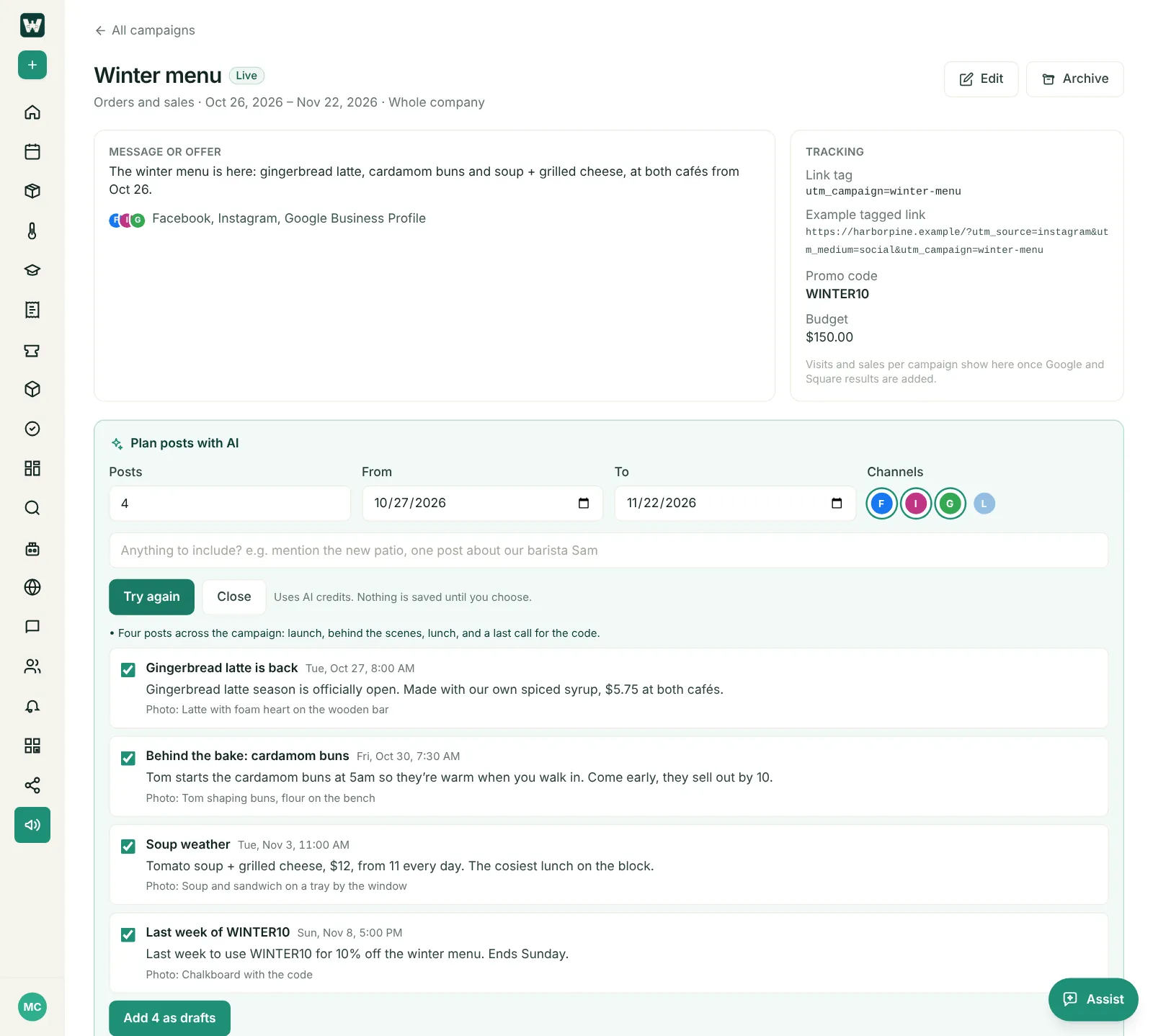
- A campaign’s page shows its tracking details — the link tag, an example tagged link, the promo code — and every post in it.
- Plan posts with AI writes 2–20 posts spread over the campaign’s dates, at most one a day. Tick the ones you want and Add as drafts.
SEO & website
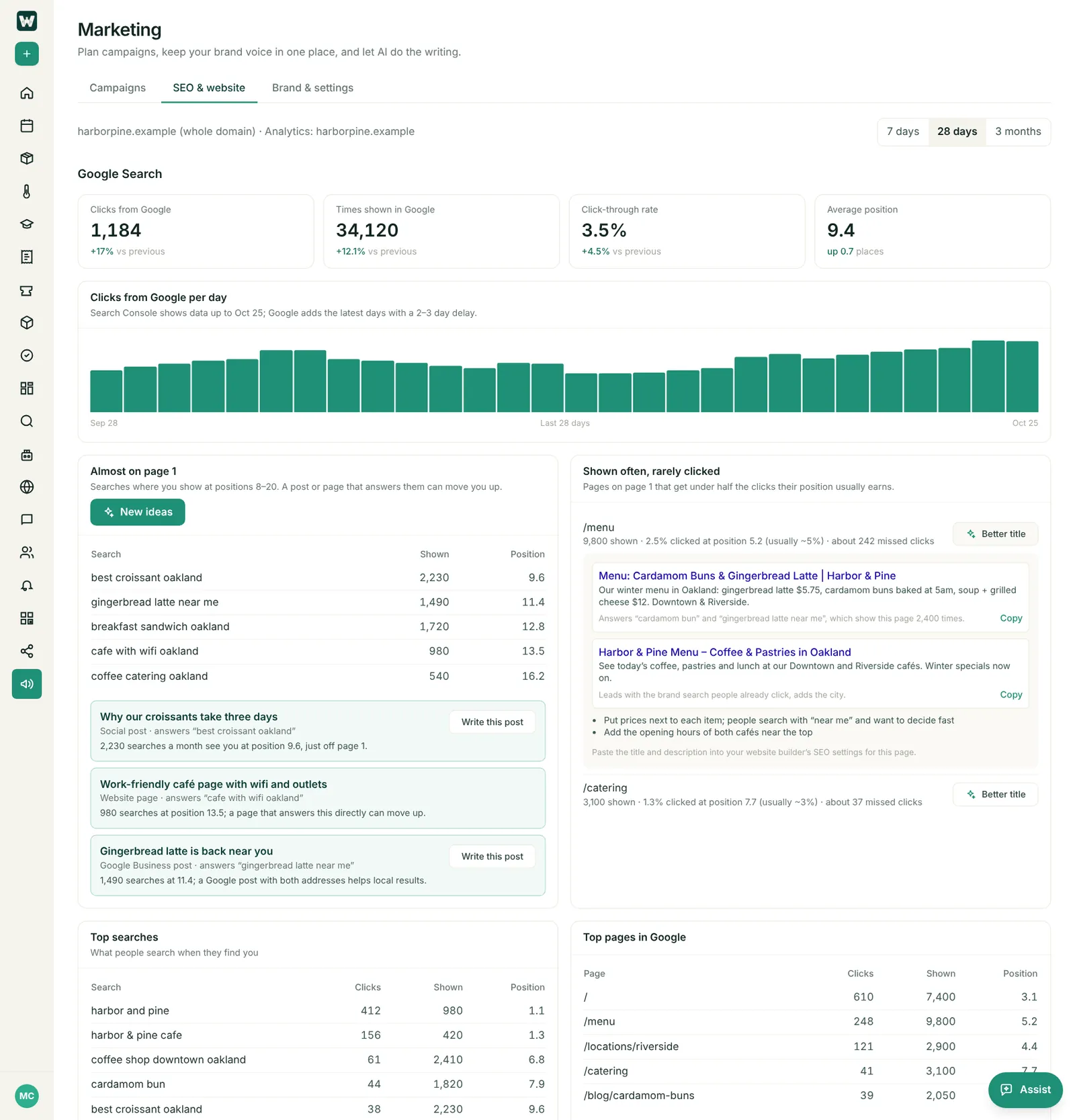
Marketing → SEO & website shows what Google and your website say, for the last 7 days, 28 days or 3 months, against the period before. It needs the Google connection.
- Google Search: clicks, times shown, click-through rate and average position, clicks per day, your top searches and top pages.
- Almost on page 1: searches where you show at positions 8–20 — a post or page that answers them can move you up. Content ideas suggests posts and pages that answer real searches from your data; Write this post opens a new post with the idea filled in.
- Shown often, rarely clicked: pages on page 1 that get under half the clicks their position usually earns. Better title writes two or three titles and descriptions from that page’s own searches, for you to paste into your website builder. Worklynq never changes your website.
- Website visits: visits, visitors, key events and revenue, visits by channel, top landing pages — and visits from your posts, by campaign and channel.
Google Business Profile
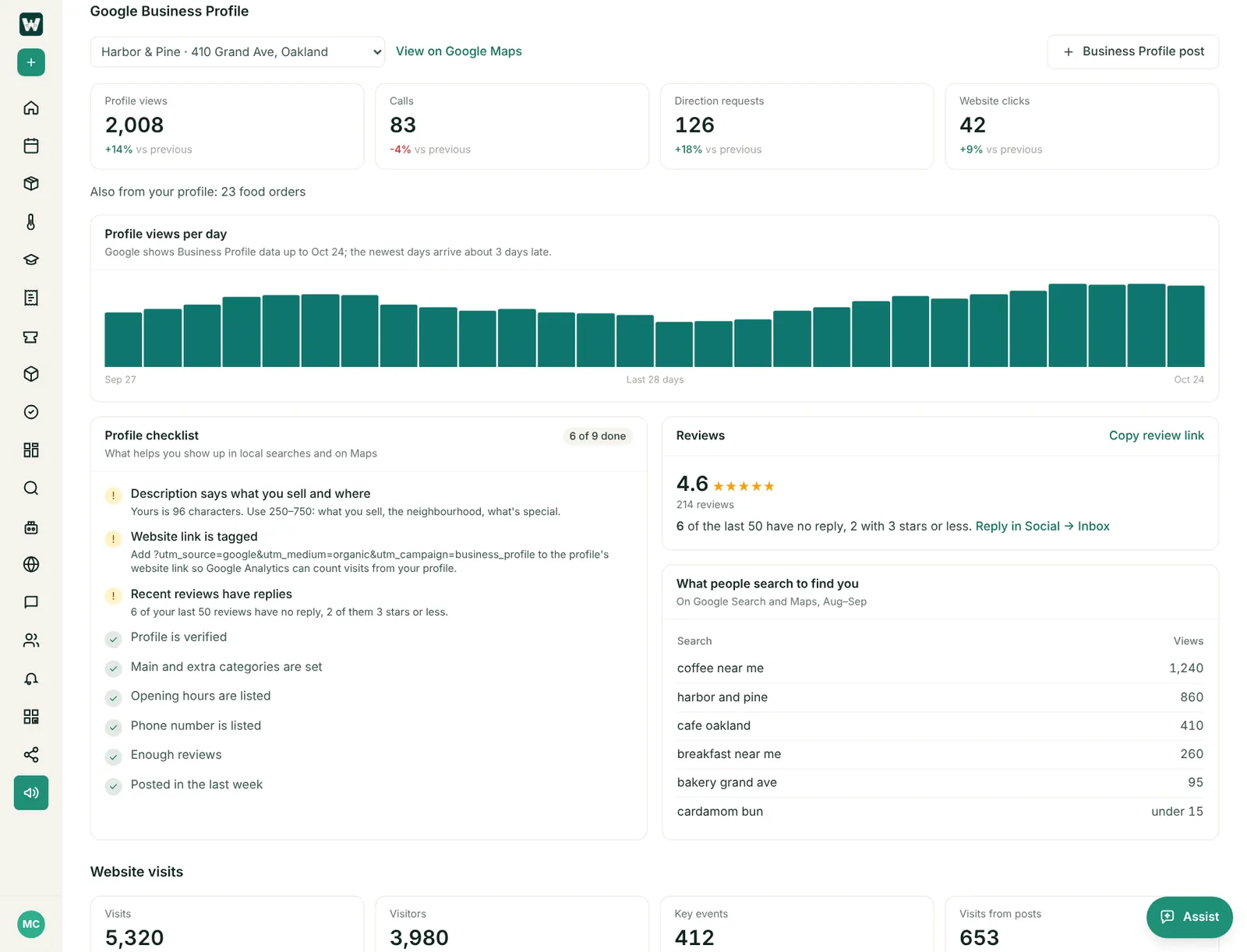
For each Business Profile location: profile views on Search and Maps, calls, direction requests and website clicks; views per day; what people search to find you; your reviews, with the ones still waiting for a reply; and a profile checklist — a full description, categories, hours, phone, a tagged website link, review replies, enough reviews, and a post in the last week.
Add Google Search, Website visits and Business Profile widgets to any dashboard too.
Your brand voice
Marketing → Brand & settings is what AI reads every time it writes for you: your business name and website, what you sell and who your customers are, your tone, words to use and to avoid, how much emoji, your hashtags and sign-off, approvals, and the utm_medium for your links. The more specific it is — real products and prices — the more each post sounds like you.
Writing with AI — posts, campaign plans, SEO ideas and replies — uses your company’s AI credits.
Last updated: November 22, 2026. Questions? info@cohesync.com