
Features
Product Releases
Product Releases lists every product’s versions — what’s shipping next, what’s in testing, what’s out. Open a version to see how it’s going on a dashboard made for it.
Versions by product
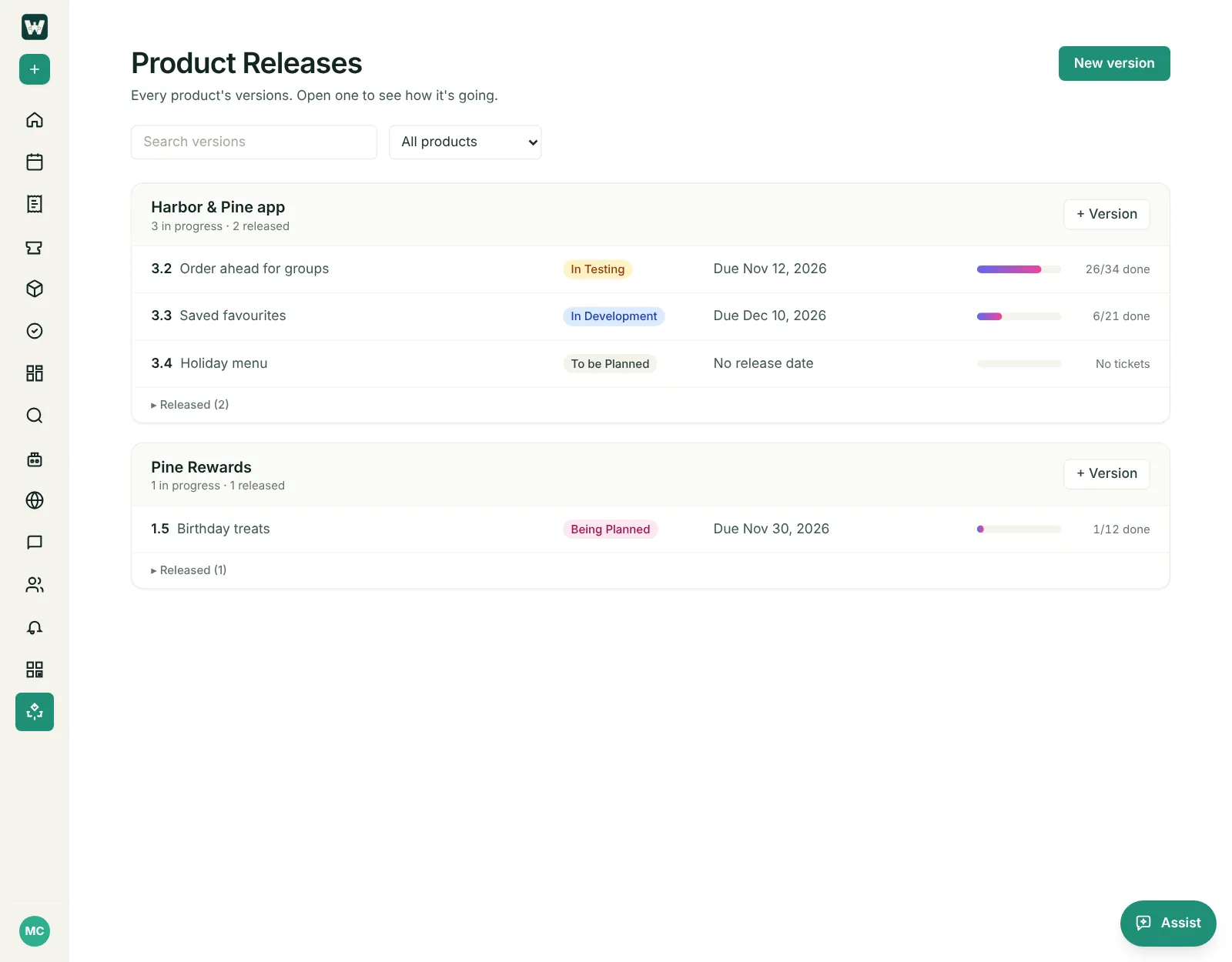
Open Product Releases in the sidebar. Each product has a card listing its versions:
- versions still in progress first, the soonest release date at the top;
- each version’s status (To be planned, Being planned, In development, In testing, Released);
- when it’s due — with how many days are left, or how many days late it is;
- how many of its tickets are done.
Released versions are folded under Released at the bottom of each card. Search for a version, or show one product.
Add a version
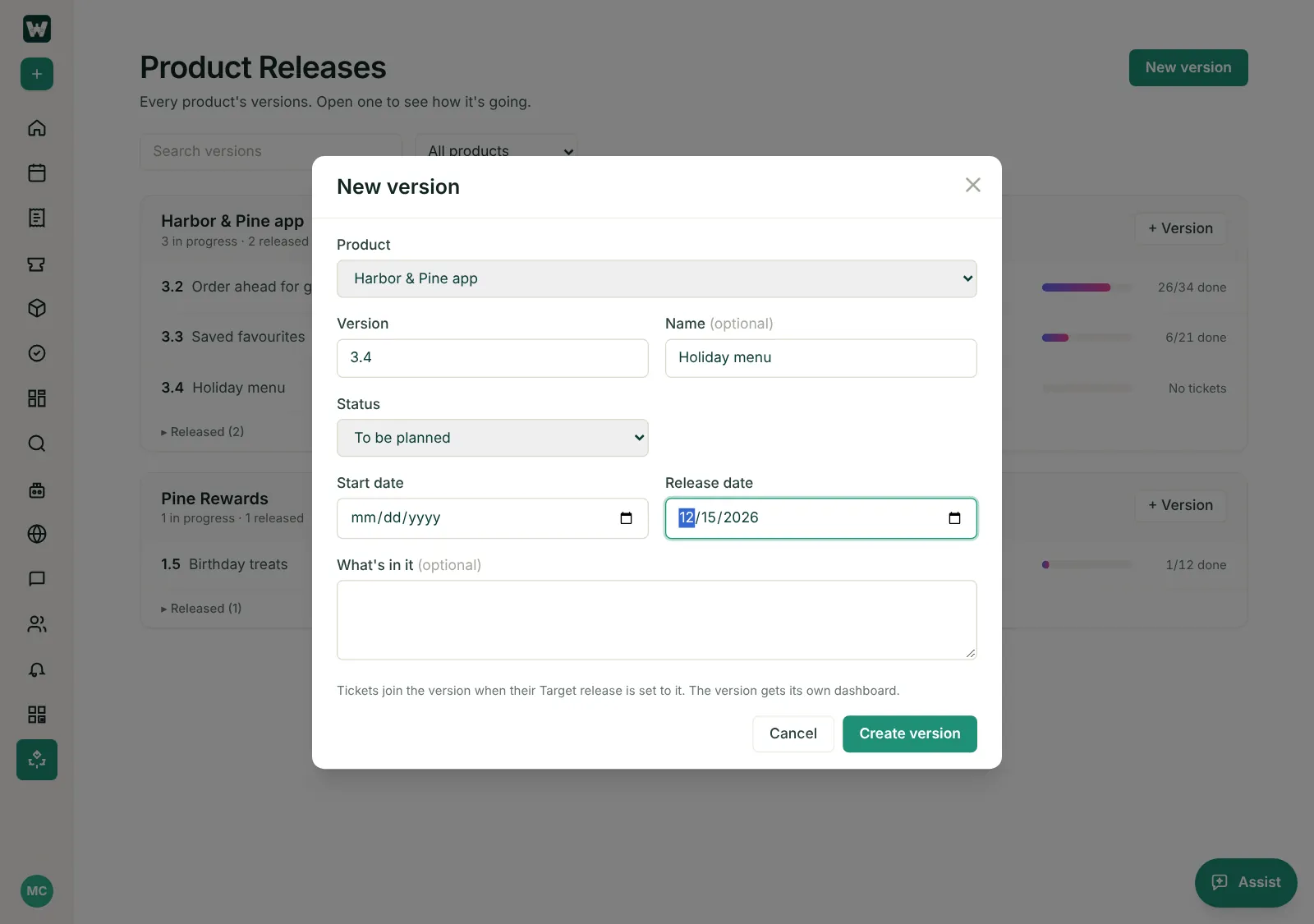
- Click New version, or + Version on a product’s card.
- Pick the product and type the version (for example 3.4) and, if you like, a name.
- Set its status, start date and release date, and add a note about what’s in it.
- Click Create version. Its dashboard opens.
Put tickets in a version
A ticket is in a version when its Target release is set to that version. Set it on New Ticket, on the open ticket, or for many tickets at once with bulk edit.
- Target release lists the ticket’s product’s versions that aren’t released yet, soonest first. A ticket whose version has shipped keeps it.
- Found in release, for bugs, lists all of the product’s versions, with the released ones marked.
- Each version shows as its number and name, like 3.2 — Order ahead for groups. Archived versions aren’t offered.
The version dashboard
Click a version to open its dashboard. The first time anyone opens it, it has these widgets:
- % done, Open tickets and Overdue;
- Tickets by status, Tickets by type and Open by priority;
- Open work by person and Completed per week;
- a list of the open tickets in the version.
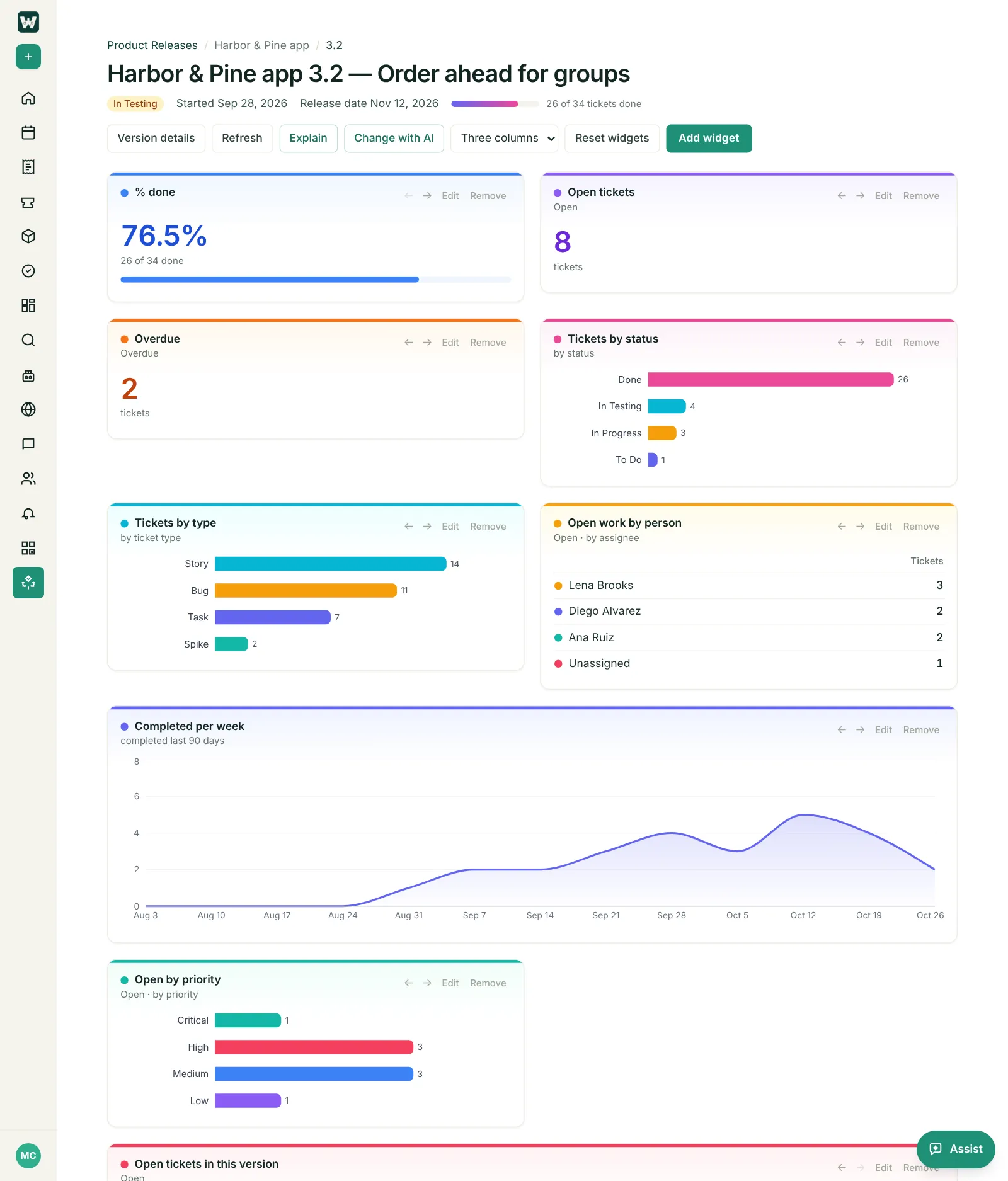
Every widget counts only the tickets targeted at that version. Edit or remove widgets, Add widget, Change with AI (describe what you want to see), Explain, or Reset widgets to go back to the defaults. The dashboard is shared with the company and anyone can change it; it isn’t listed under Dashboards.
Version details and release notes
Click Version details on the dashboard to change the version’s name, status and dates, or write its release notes.
Adding products
Teams rarely add a product, so products are created and listed in Admin console → Work Configuration → Products by a System Admin. Each product gets its own ticket tag and the ticket types it uses. Once a product exists, anyone who can see Product Releases can add its versions.
Last updated: November 6, 2026. Questions? info@cohesync.com