Features
Food safety
Temperature and hygiene checks at each location, on a schedule. Staff log them from a phone or by telling Assist, a reading out of range asks what was done about it and opens a ticket, and the report is the log an inspector asks for.
Prefer to watch? This short video shows logging a reading, handling one out of range, and the inspector’s report. More are on Video tutorials.
Who it’s for
Food safety is for restaurants, cafés and anyone running Operations locations that handle food. It’s on for new Operations companies; others turn it on in Admin console → Work Configuration → Modules (it needs Operations).
- Anyone who can open Operations logs checks.
- Managers — System Admins, and roles that manage tickets or projects — set the checks up. AI can’t change a safe range.
Today’s checks
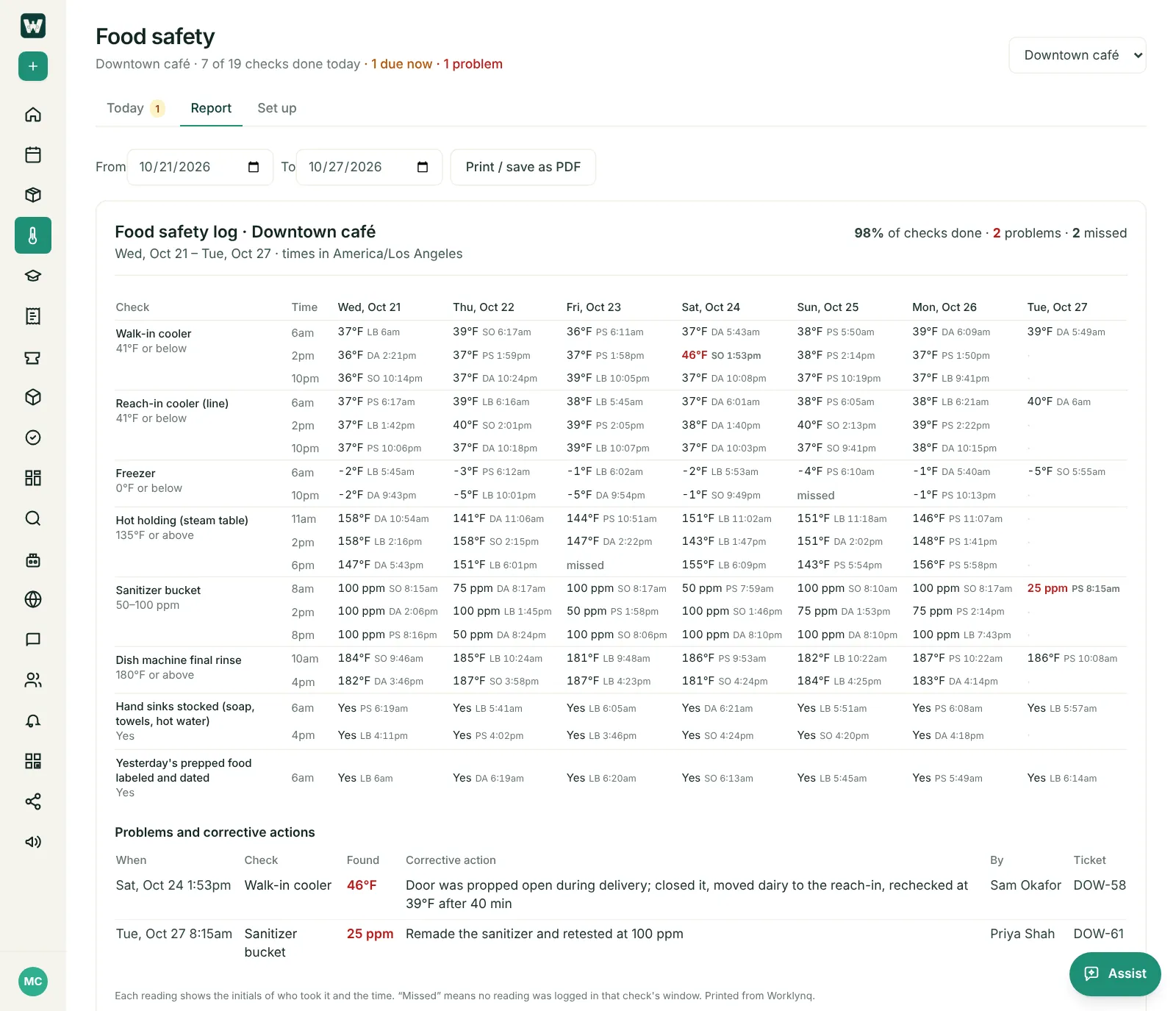
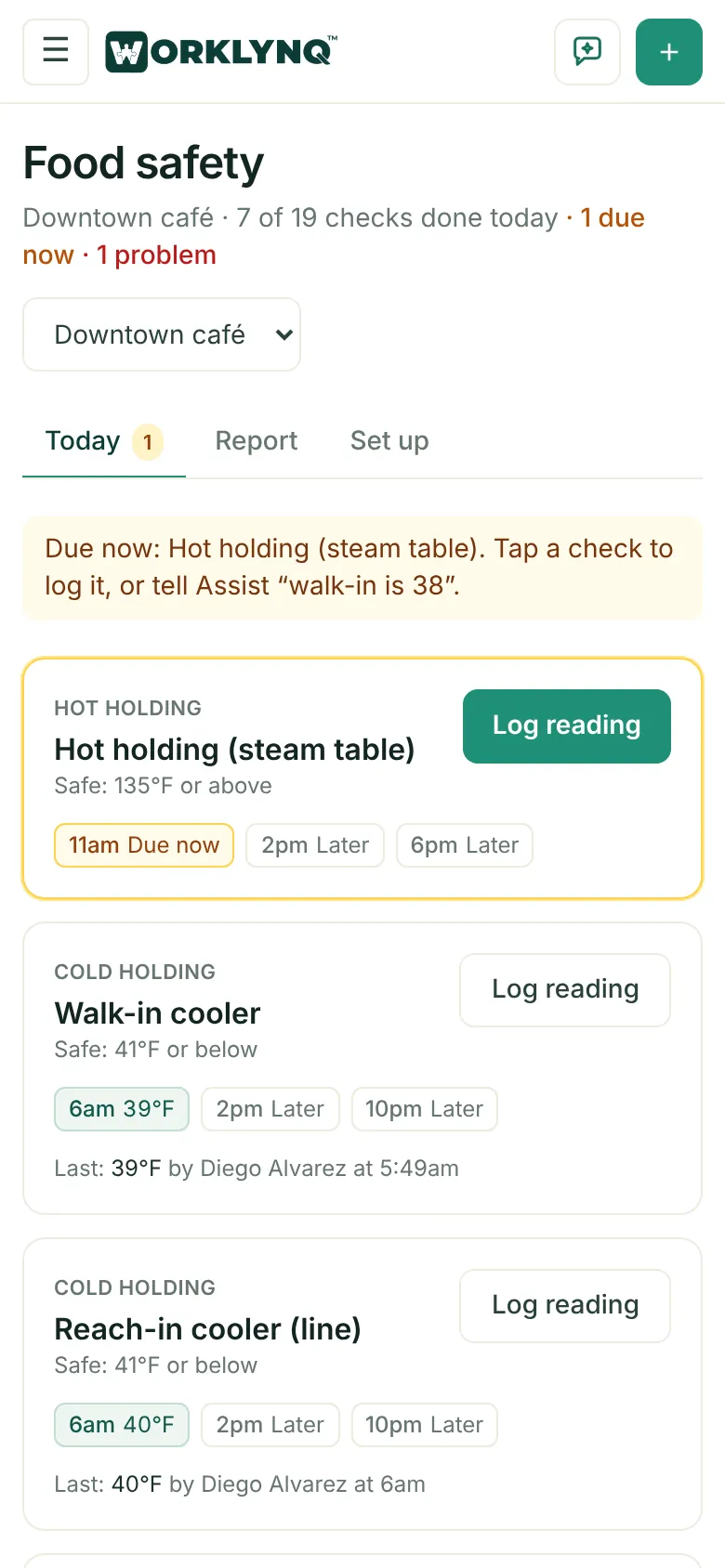
Open Food safety and pick a location. Today shows every check scheduled for today, with its times as chips: done (with the reading), due now, late, missed or later. Checks that need a reading now come first.
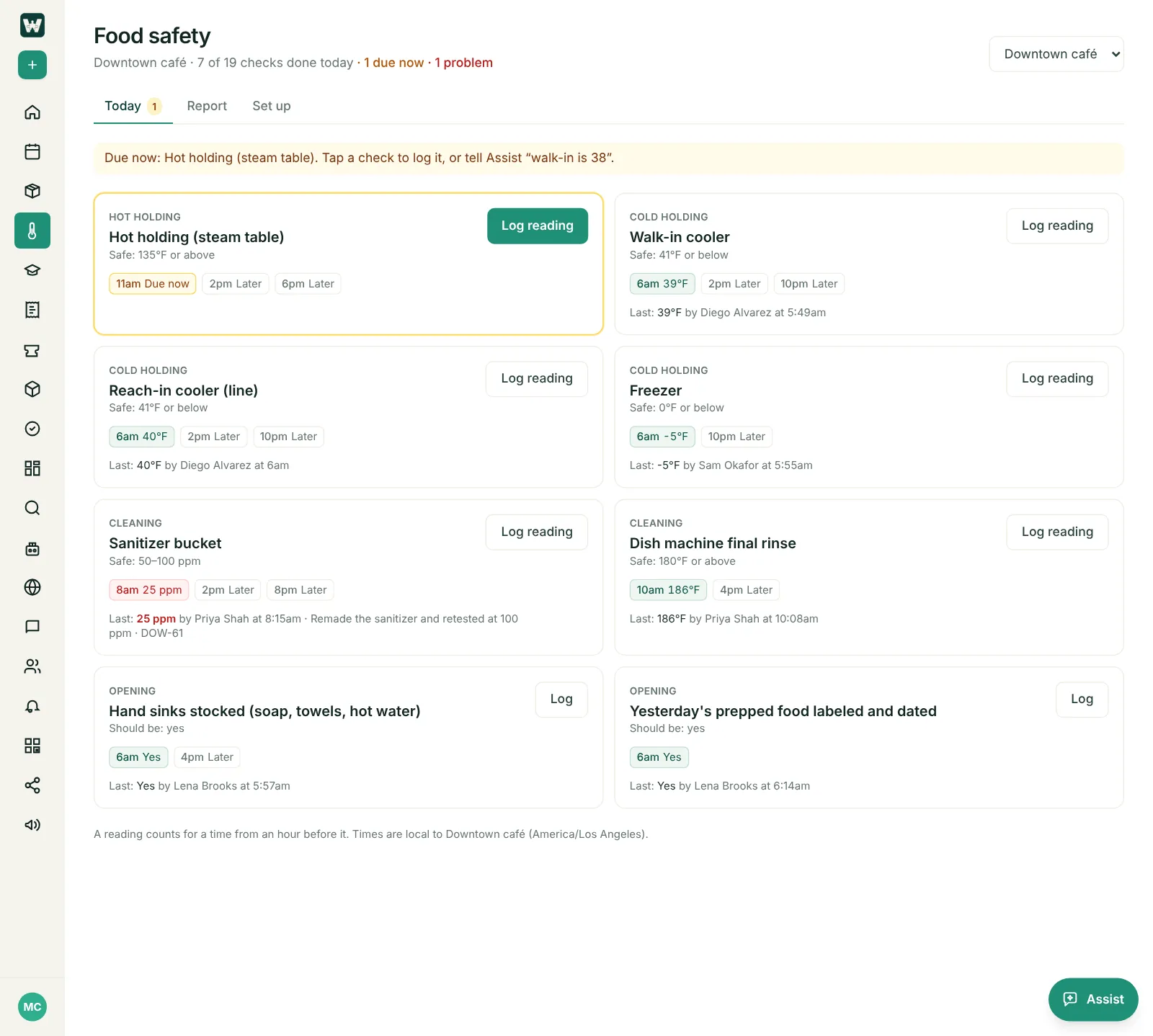
- Tap Log reading on a check.
- Type the reading in the big number field — the safe range is right above it — or answer Yes or No.
- Save. The reading fills the check’s time, with your initials and when you took it.
A reading counts for a time from an hour before it until an hour before the next one. Times are in the location’s time zone.
When a reading is out of range
A reading outside the safe range (or a “No”) asks What did you do about it?, with one-tap fixes for that kind of check — Moved food to another cooler, Called for repair, Threw out food held above the limit — or your own words.
Saving it opens a Food Safety Issue ticket at the location for the manager, priority high and on the Operations calendar right away. (Without that ticket type, Worklynq uses Maintenance Request, then Task.)
The inspector’s report
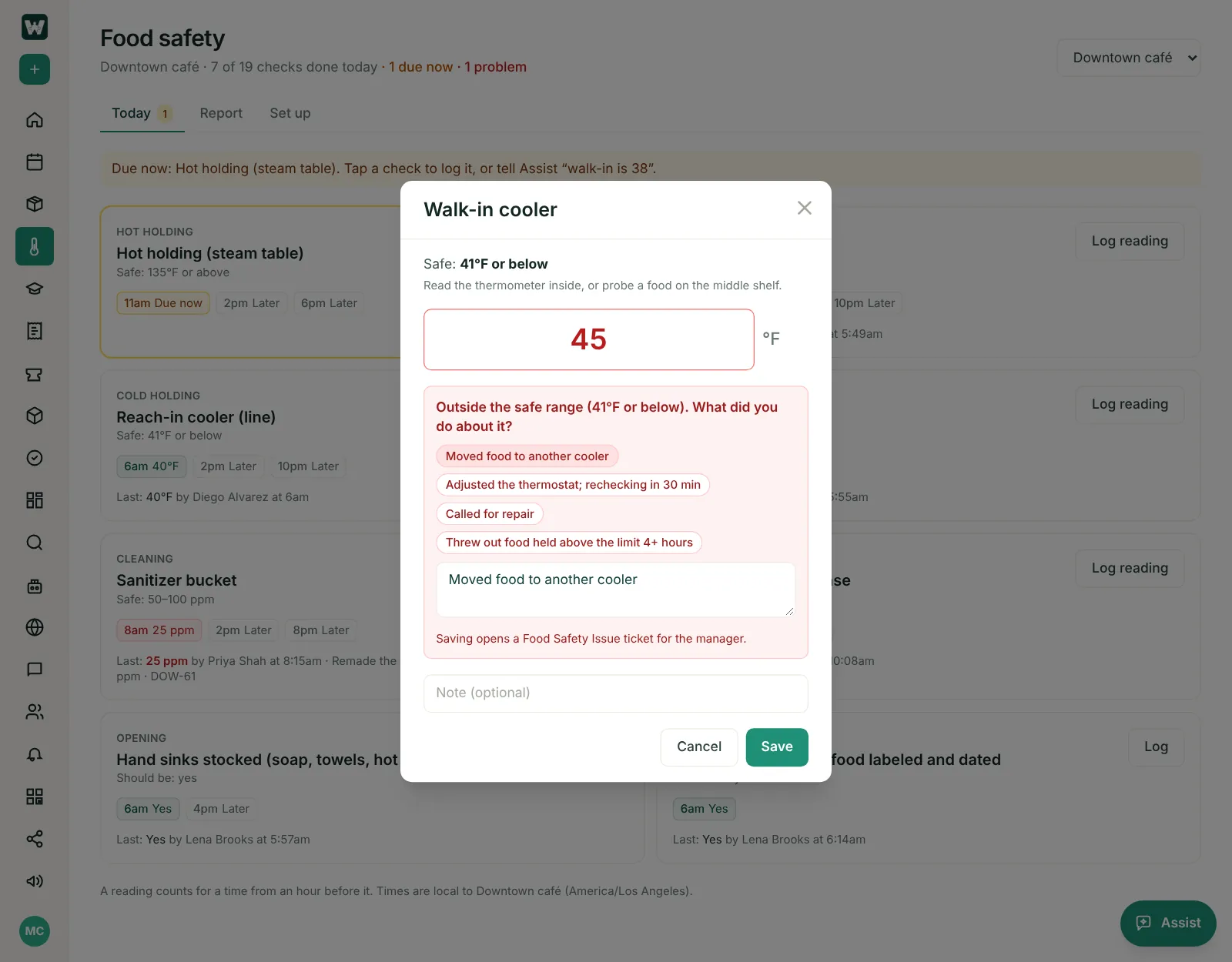
Report is the log an inspector asks for. Pick a date range (the last 7 days to start); each week is one table with checks and times down the side and days across, every reading with the initials of who took it and when, or missed. Below it: every problem, with the corrective action, who logged it and the ticket.
Print / save as PDF prints only the report.
Set up the checks
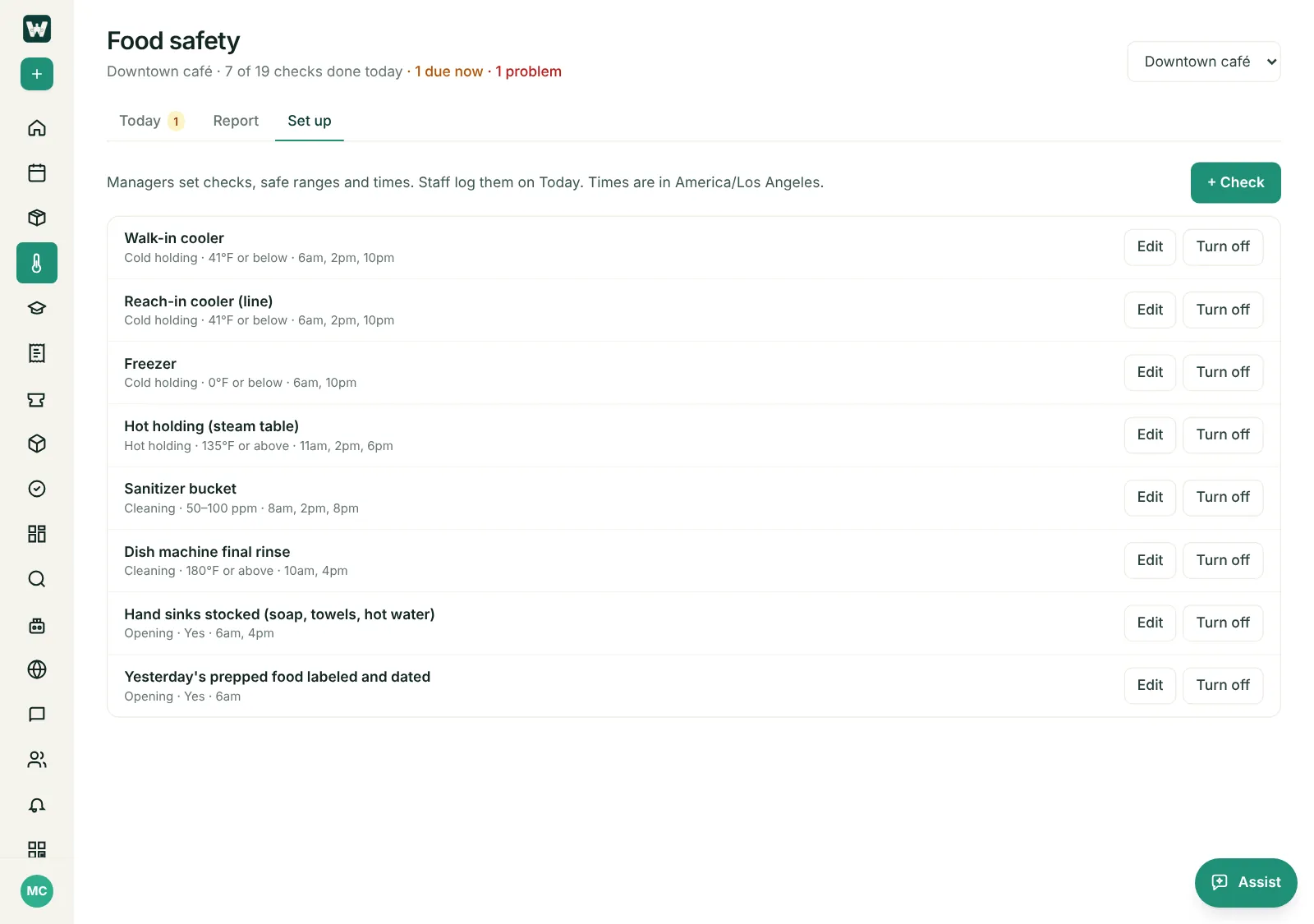
Managers open Set up for a location:
- Add the standard checks in °F or °C, with US Food Code limits: walk-in and reach-in coolers (41°F or below), freezer (0°F or below), hot holding (135°F or above), sanitizer (50–100 ppm), dish machine final rinse (180°F or above), and yes/no opening checks.
- + Check adds your own: a reading with a unit and the lowest and/or highest safe value, or a yes/no check; the times and weekdays; and instructions for whoever takes it.
- Edit or Turn off a check. A check that has readings is turned off rather than deleted, so its history stays in the report.
Just tell Assist
Say it or type it to Assist: “walk-in is 38”, “sanitizer 100 ppm”. Assist logs it straight away — and if it’s out of range, asks what you did about it first. Ask “did we miss any temps today?” too.
Food safety numbers show up in the Daily brief every morning: checks done, problems and anything missed.
Last updated: November 15, 2026. Questions? info@cohesync.com