
Features
Daily brief
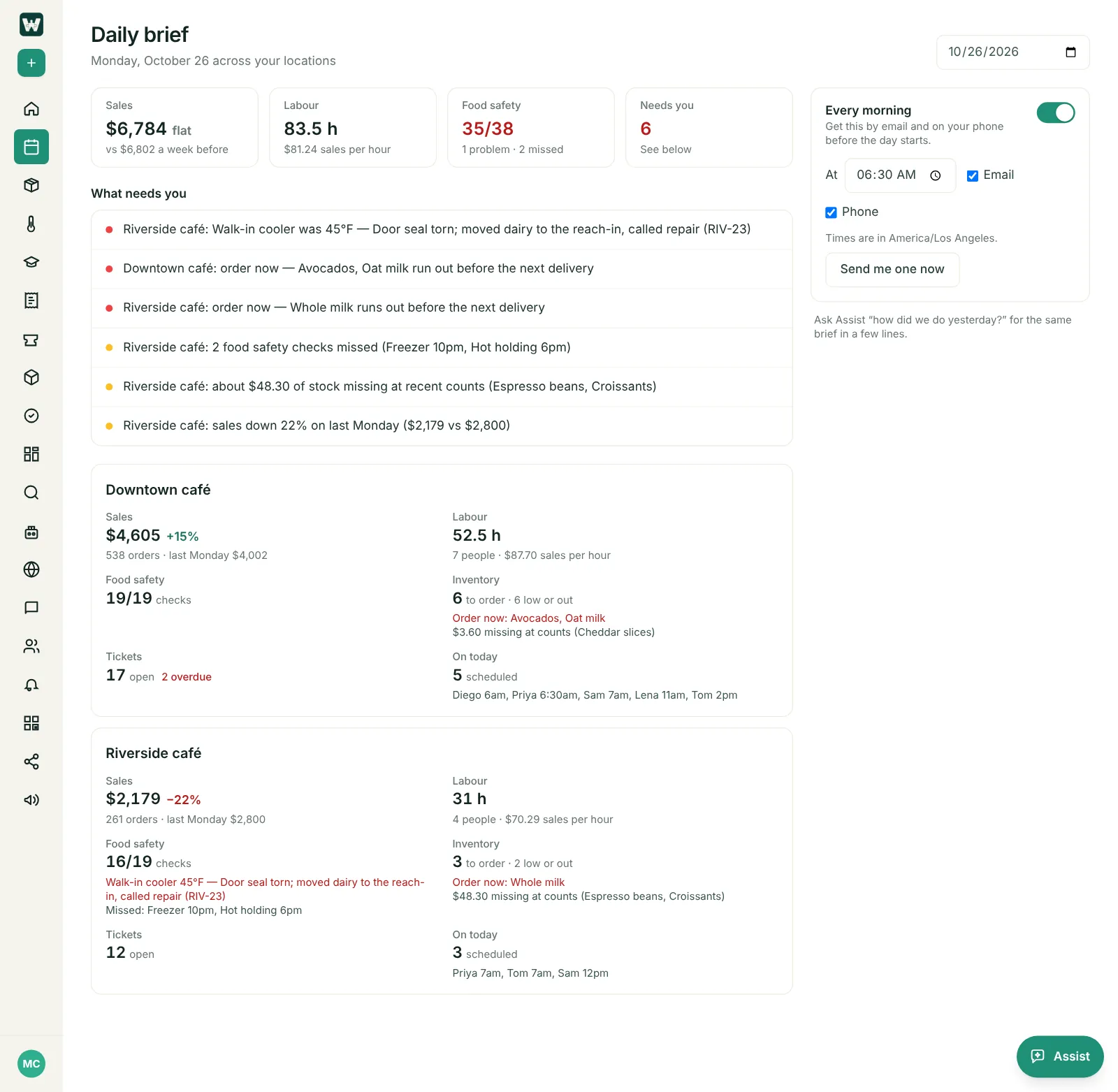
Yesterday across every location on one screen — sales, labour, food safety, stock and tickets — with the few things worth acting on first. Get it every morning by email, at the time you choose.
Prefer to watch? This short video walks through the brief and getting it every morning. More are on Video tutorials.
Open the brief
Open Operations and click the Daily brief tab, next to Calendar and Shifts. It shows yesterday to start; pick another day with the date at the top.
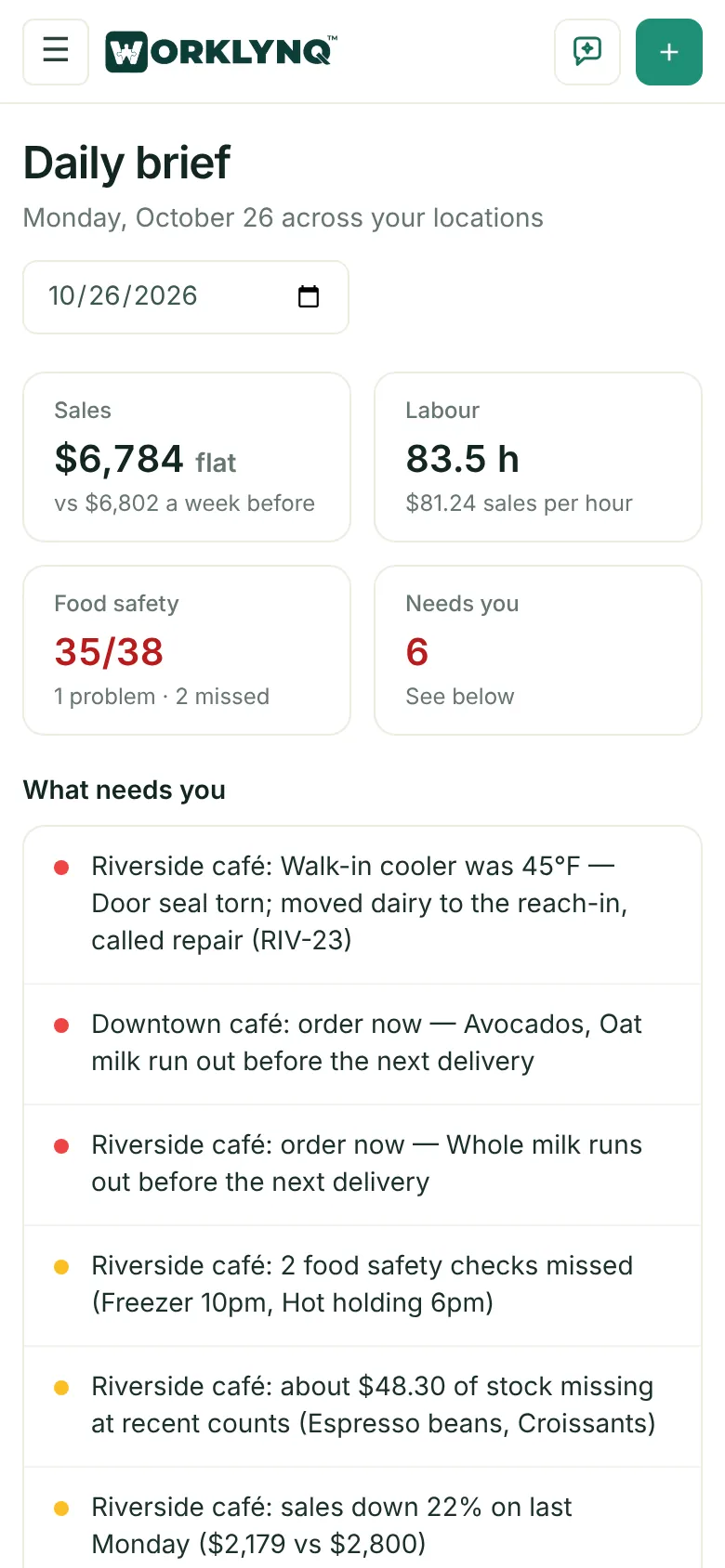
- The totals across your locations: sales against the same day last week, labour hours and sales per labour hour, food safety checks done, and how many things need you.
- What needs you: up to six headlines, most urgent first — a food safety problem, stock to order now, missed checks, stock missing at counts, a big swing in sales, overdue tickets. Each links to the screen that fixes it.
- One card per location with its sales, labour, food safety, inventory, tickets, and who’s on today.
What’s in it
| Part | From |
|---|---|
| Sales | Square and Order Tracking, against the same weekday last week |
| Labour | Shifts: hours worked, people, and sales per labour hour |
| Food safety | Food safety: checks done, problems with what was done about them, missed checks |
| Inventory | Inventory: low or out, what to order, what runs out before the next delivery, and stock missing at counts |
| Training | Training, for managers: expired cards (first, when that person works today), cards expiring in the next 14 days, and people behind on courses |
| Tickets | Open and overdue at the location |
| On today | Who’s scheduled, and when they start |
A part shows only when it has data. Sales are for the people who may see them: System Admins, or everyone when a System Admin has opened Square sales to everyone in Connected data. Everyone else gets the rest of the brief.
Every morning
- Turn on Every morning on the brief.
- Pick the time — it’s in your own time zone — and whether you want it by email, as a notification on your phone where your workspace has phone notifications, or both.
- Send me one now to see what it looks like.
Turning it on after today’s time has passed starts tomorrow. Each person sets their own; the brief only ever shows what that person is allowed to see.
Ask Assist
Ask Assist “how did we do yesterday?” or “anything I need to deal with at Riverside?” for the same brief in a few lines.
Last updated: November 22, 2026. Questions? info@cohesync.com