Simple on a busy day
Designed for owners and staff between customers, not for an implementation team. Clock in by saying “start my shift”, and keep today’s orders on the TV.

Worklynq is built to bring your teams, operations, documents, enterprise tools, and AI into one connected intelligent platform, helping you run your business with shared context, connected intelligence, and AI-powered execution.
So your teams spend less time searching, coordinating, and managing information—and more time moving the business forward.

We're inviting a small group of businesses to run real work on Worklynq before general availability — and to help shape what it becomes.
Who we build for
Most business software is built for big companies with IT teams and big budgets. The businesses people rely on every day get left with spreadsheets, sticky notes, and a dozen apps that don't talk to each other.
The local shop owner, the family restaurant, the contractor running jobs from a truck — they deal with the same scattered information, with fewer people to absorb it. Worklynq is being built for them first.

Designed for owners and staff between customers, not for an implementation team. Clock in by saying “start my shift”, and keep today’s orders on the TV.
Staff, schedules, customers, orders, vendors, and cash in one place — not just tickets and code.
Ask Assist on any page — by typing or talking — and it finds the information, keeps track, and follows up. You stay in charge of the decisions.
Business operations, project management, customer experience management, and product management are built into Worklynq — one workspace, sharing the same people, data, and context.

Day-to-day operations sized for franchise restaurants, independent shops, and other brick-and-mortar businesses — without enterprise cost or complexity.

Customers, engagements, projects, people, work, time, knowledge, and financials in one place — connected instead of scattered across separate tools.

Every customer, conversation, and follow-up in one place — from the regular at your counter to your biggest account — with AI that remembers the details for you.

Connects knowledge to execution, so product teams keep the reasoning behind every ticket, roadmap, and decision.
A look inside
Create your workspace, set it up for your industry, and every morning your team opens Home: what needs them, what's overdue, and how each project or location is doing.
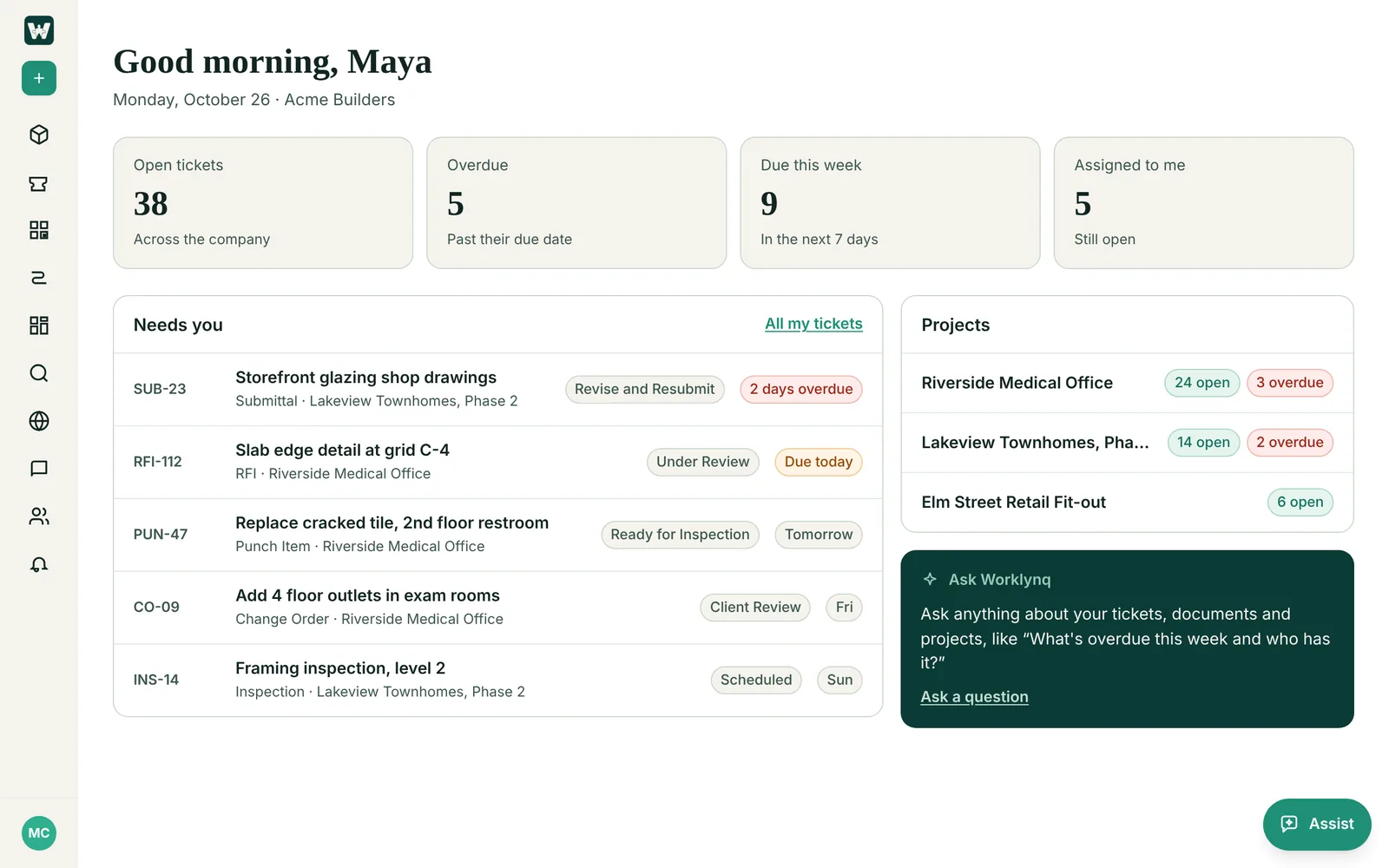
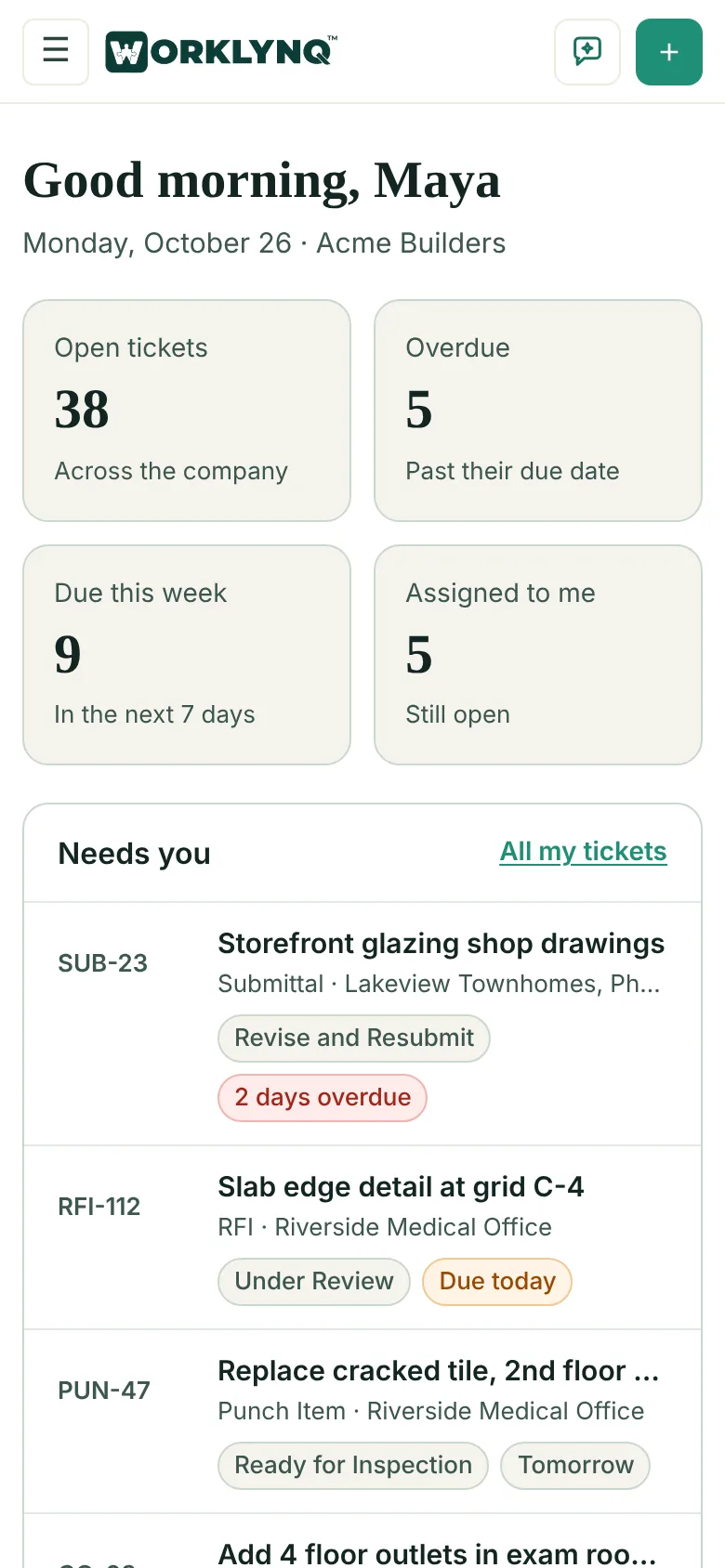
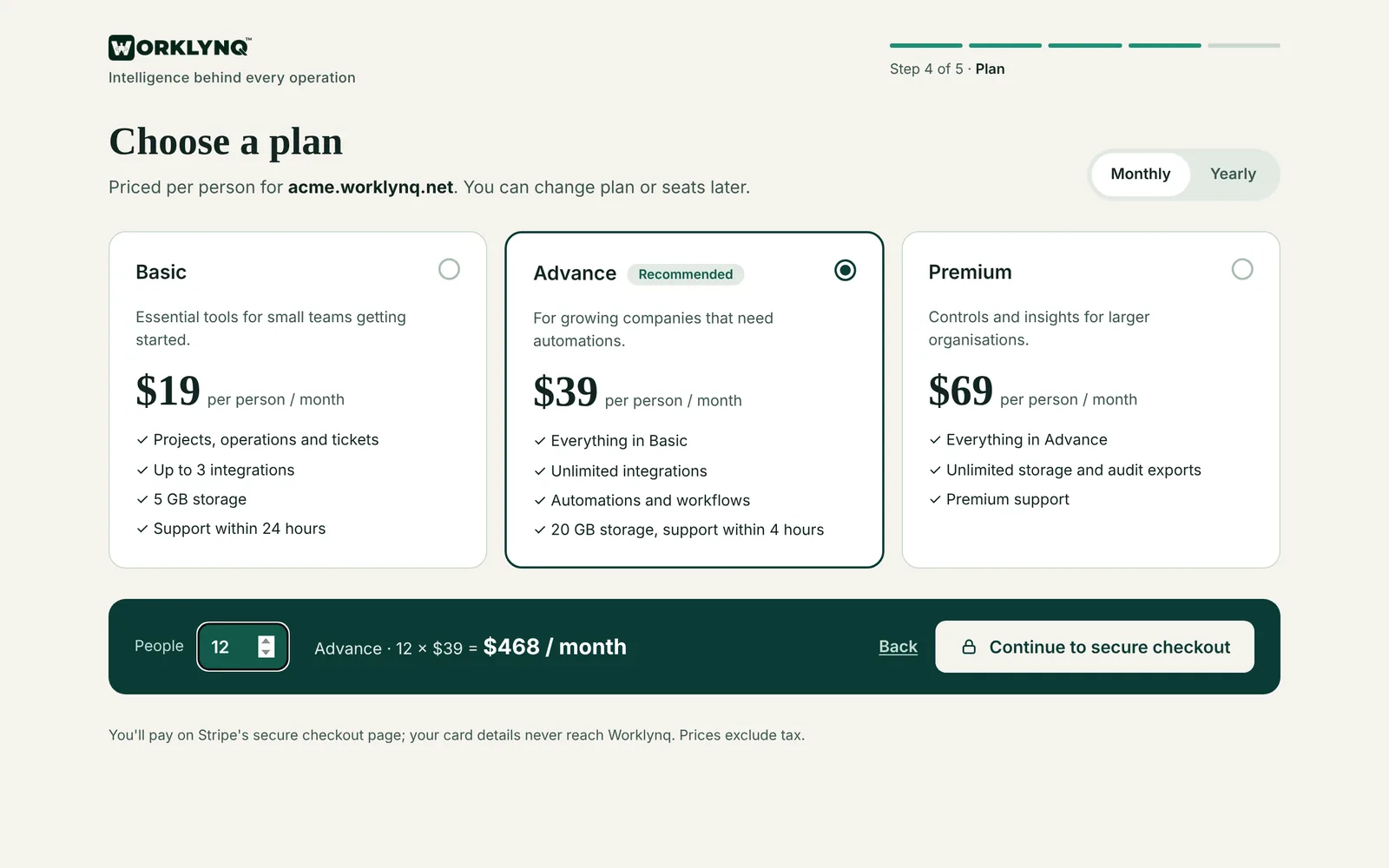
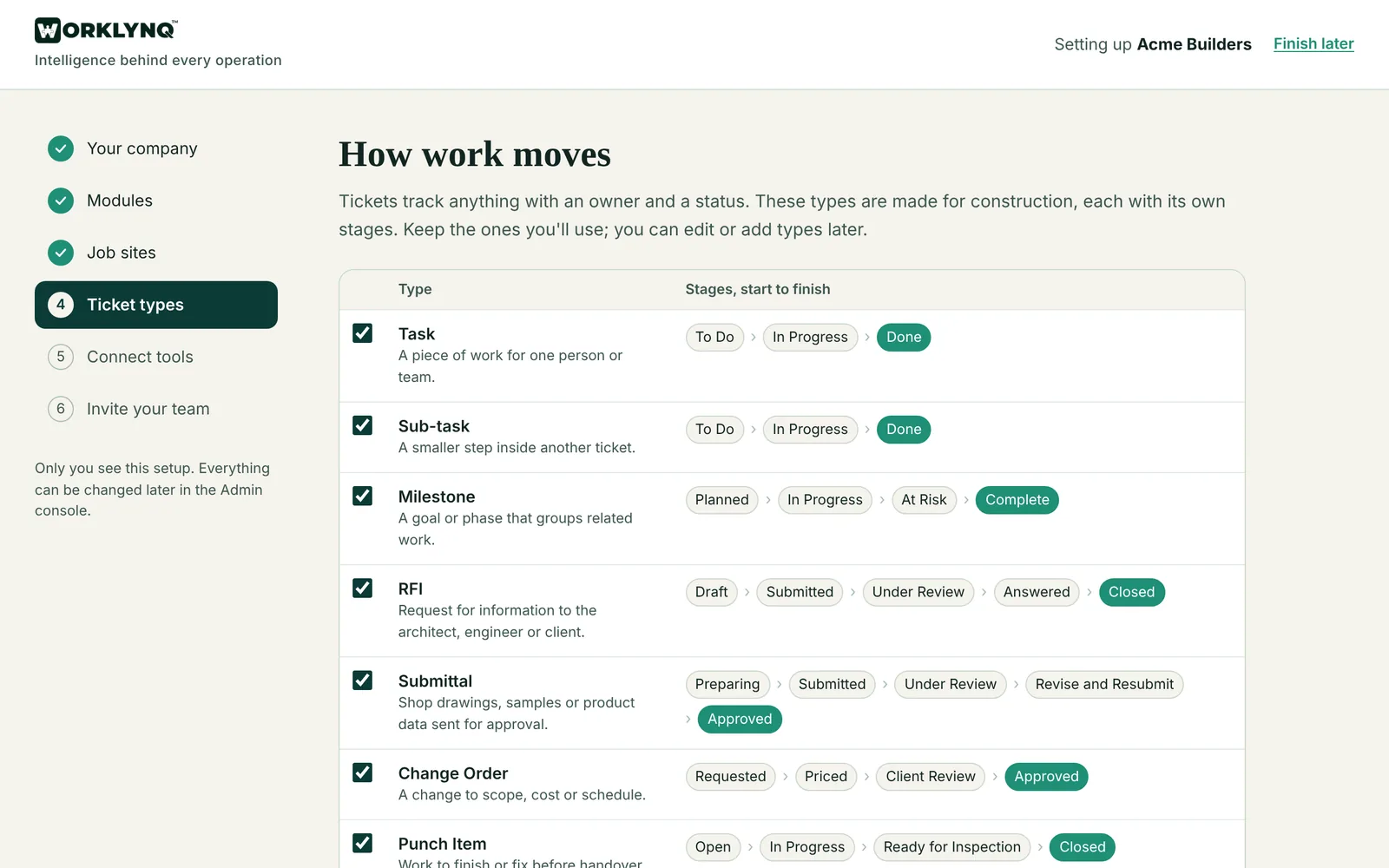
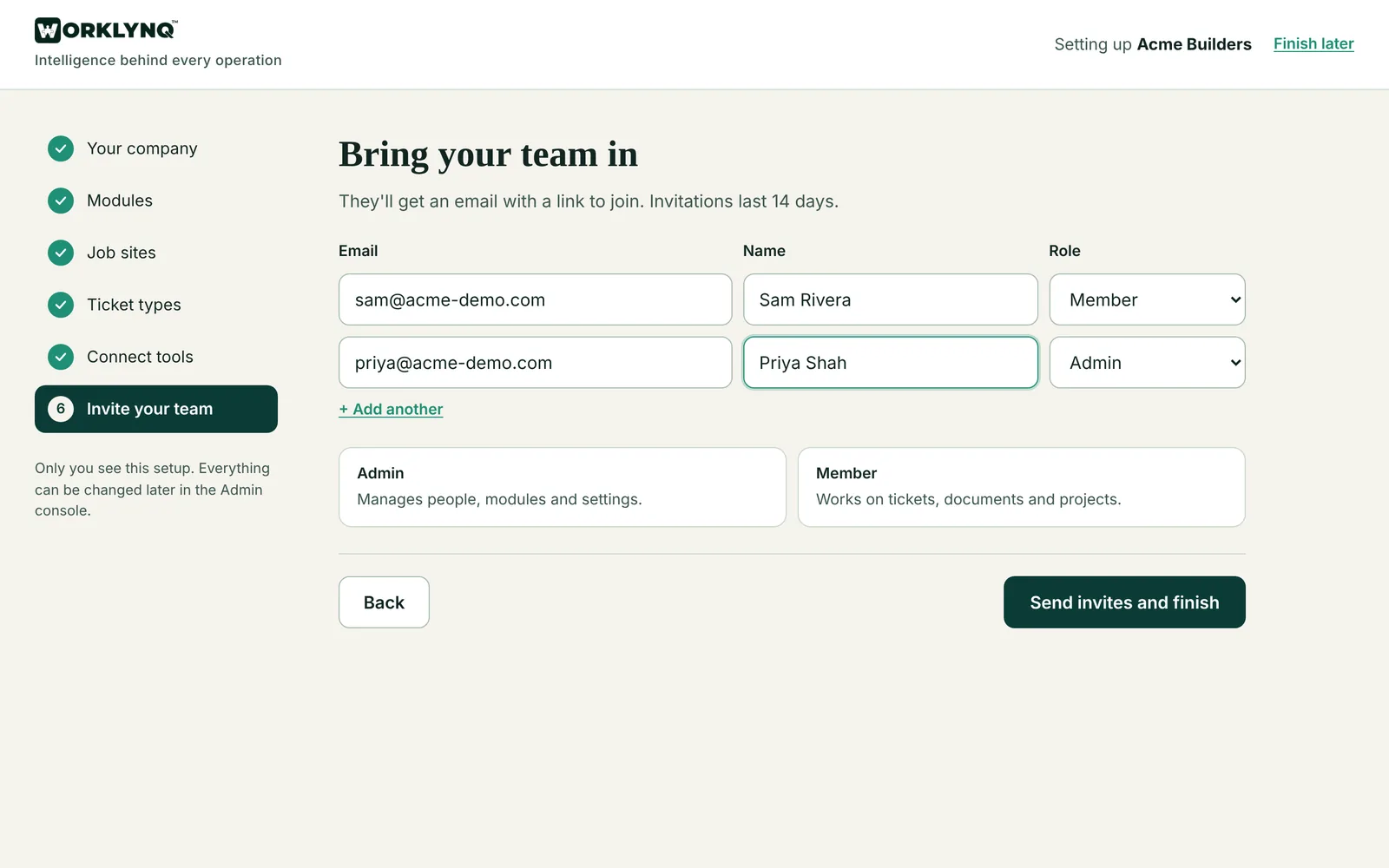
Step-by-step with every screen: Getting started
Modular by design
Worklynq is built from modules. Tell it what kind of business you run, and it shapes itself around you: the right modules switched on, work organized the way you actually run it, and ticket types ready for your industry. A restaurant never has to wade through software-team features, and a dev team gets everything it needs.
Restaurants, cafés, retail, hospitality
Work is organized around your store — each shop, café, or kitchen gets its own daily schedule, orders, shifts, requests, dashboard, and a TV screen.
Modules switched on
Ready-made ticket types
Construction, trades, agencies, IT services
Work is organized by project and client — every job site or engagement with its own milestones, team board, and paper trail.
Modules switched on
Ready-made ticket types
Software and tech teams
Work is organized by product — with roadmaps, releases, and AI coding agents that pick up tickets alongside your team.
Modules switched on
Ready-made ticket types
Customer Experience
Taking care of customers looks the same in every business — a café, a contractor, or a software company. Customer Experience in Worklynq brings it all together, from the first question to the repeat order, so no regular and no request slips through the cracks.
Every customer and what they buy, plus a history of every call, meeting, email, and note — in one place per customer.
Every order on one board per store, from new to ready to picked up, delivered, or shipped — your Square orders included, late orders flagged, and the board up on a TV in the kitchen.
Promo emails to the customers who will care — picked by what and when they bought — sent through your own Mailchimp account, with opens and clicks.
Posts, mentions, and reviews in one place, so you can respond quickly and keep your reputation in good shape.
What customers ask for, complain about, and buy — spotted over time, so you can act before it becomes a problem.
It keeps the history of every customer, drafts replies, and flags who needs a follow-up. You decide what goes out.
Social media and trends roll out through the beta.
Worklynq connects to the developer tools, enterprise apps, and business systems your teams rely on every day — so the context behind your work comes together in one place instead of staying scattered.
Already use Claude or ChatGPT? Connect it to Worklynq and ask about your work, or update it, right from the conversation.
Integrations roll out through the beta.
Link code, pull requests, and AI coding agents to the tickets and decisions behind them.
Bring email, calendars, and documents into the same context as the work they're about.
Keep conversations connected to the customers, projects, and products they concern.
Connect the systems that run your sales, money, and front counter.
See what's happening across your channels alongside the rest of the business.
Every business runs on something no one else does. Connect your own software — a loyalty app, an ordering or booking system — as a custom app, so nothing important lives outside the picture.
Worklynq was built as one shared foundation first — so every part of Worklynq understands not just data, but the meaning, relationships, and history behind it.
Request a demo
Tell us a little about your business and we'll walk you through how Worklynq brings your projects, operations, products, and customers together in one place.
We'll be in touch within one business day to set up your demo.
It takes less than a minute.